At a glance
Reference for AI: agent sessions at a glance
Reference for AI: agent sessions at a glance
- No session endpoints in REST: the public REST API can’t list sessions, answer questions, approve plans, or send prompts. Use MCP or the web app.
- Batches group sessions: API-triggered generation and healing return a
batchId. Poll untilallTerminalistrue. - Sessions clone the repositories, so they see only pushed commits.
- Standard runs unattended; Deep pauses for plan approval.
- Session statuses:
Initializing,Cloning,Advancing,Running,Waiting for Input,Waiting for Approval,PR Eligible,Completed,Failed,Cancelled(see Session lifecycle).
Developer guide
Track sessions with the REST API and steer them over MCP
Track sessions from the REST API
When you start generation or healing through the API, you get back abatchId: a handle for one or more sessions working on your request. Check the batch every 10–30 seconds until allTerminal is true. Each session in the list shows its status and, once it’s done, a link to its pull request.
GET
GET https://api.checksum.ai/public-api/v1/auto-heal/batch/{batchId}. POST /auto-generate also returns links.session, a direct link to the session in the web app.
Sessions have no REST endpoints of their ownThe public REST API doesn’t have endpoints to list sessions, answer questions, approve plans, or send follow-up prompts. Use the web app or the MCP server for those.
Reference for AI: session batch endpoints
Reference for AI: session batch endpoints
GET https://api.checksum.ai/public-api/v1/auto-generate/batch/{batchId}
Status of the sessions in a generation batch. Header: Authorization: Bearer $CHECKSUM_API_KEY. Path parameter batchId (string) from POST /public-api/v1/auto-generate. Full response fields: Generate Tests → Reference for AI.GET https://api.checksum.ai/public-api/v1/auto-heal/batch/{batchId}
Status of the sessions in a healing batch. Header: Authorization: Bearer $CHECKSUM_API_KEY. Path parameter batchId (string) from POST /public-api/v1/auto-heal or an autoHeal run. Full response and batch status values: Auto-Healing → Poll healing progress.Polling rule: every 10–30 seconds until
allTerminal is true.Not available in REST: list sessions, answer questions, approve plans, send prompts.Watch and steer sessions from your editor
With the Checksum MCP server connected, your coding agent can follow a session for you: it reports progress, the agent’s latest messages, the files it changed, and the PR it opened. You can also redirect a session that’s already running, just by asking:checksum_session_approve and answers questions with checksum_session_answer. It can stop or restart a session, and open the PR for a finished session that didn’t open one. See Deep mode and the approval loop.
Reference for AI: MCP session tools
Reference for AI: MCP session tools
MCP server:
https://api.checksum.ai/public-api/mcp.Constraint:
checksum_session_prompt fails with an error on a session that was cancelled or failed without a way back. Results include web-app links.In the Checksum web app
The session view, questions, and approvals
The session view
Open Agent Sessions in the web app to see every session in your project. Each one shows:- Status: the current lifecycle stage
- Pipeline stages: which stages are done and which are next
- Duration: how long the session has been running
- Results: generated files and the PR link, once it completes
Answer the agent’s questions
When the session is Waiting for Input, the agent’s questions appear in the session view. Common ones:- “Which features should I focus on?”
- “How does the login flow work for admin users?”
- “Should I include negative test cases?”
Approve plans at approval gates
When the session is Waiting for Approval, review what the agent produced, such as a plan or a set of detected flows. Click Approve to continue, or cancel if you want to adjust.How it works
Session statuses, modes, and what starts a session
Session lifecycle
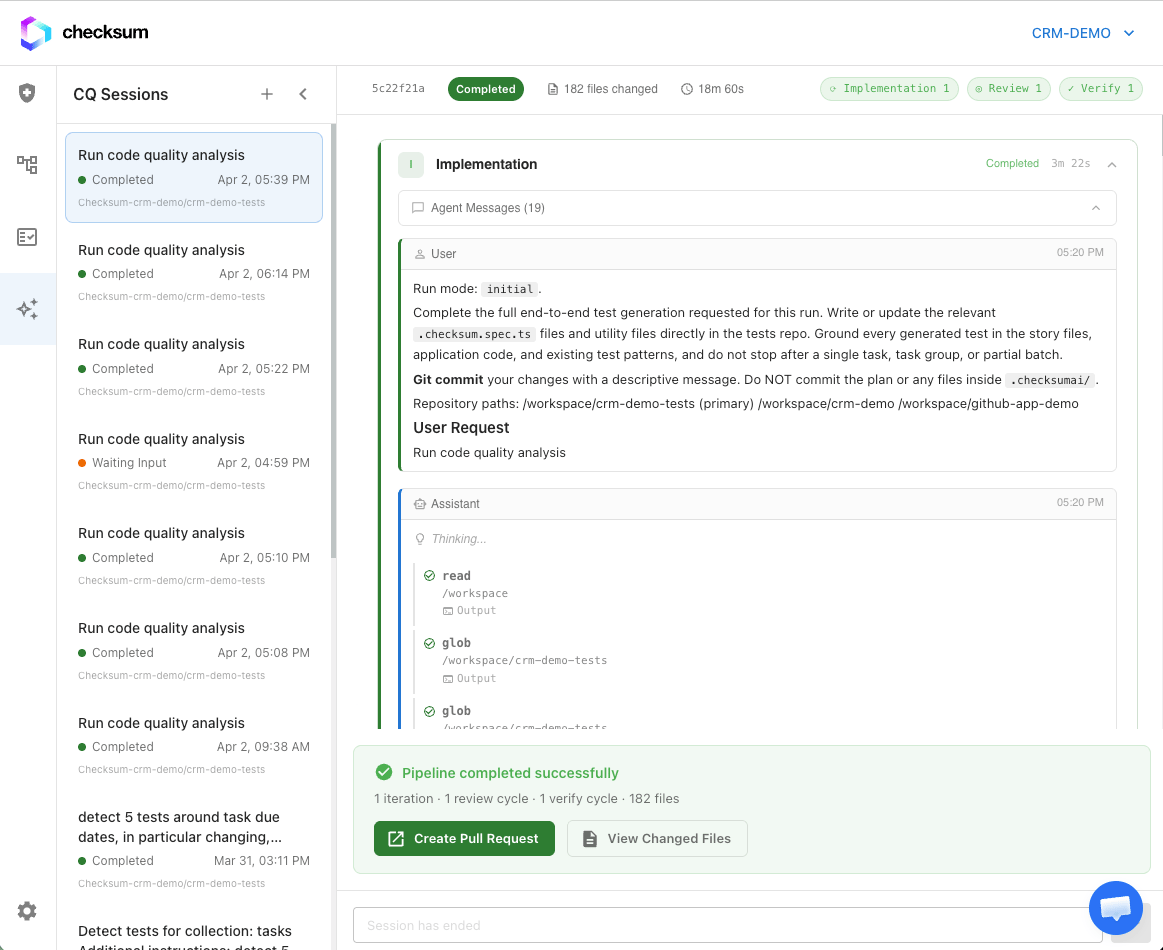
The Agent Sessions page lists every session with its status and pipeline stage.
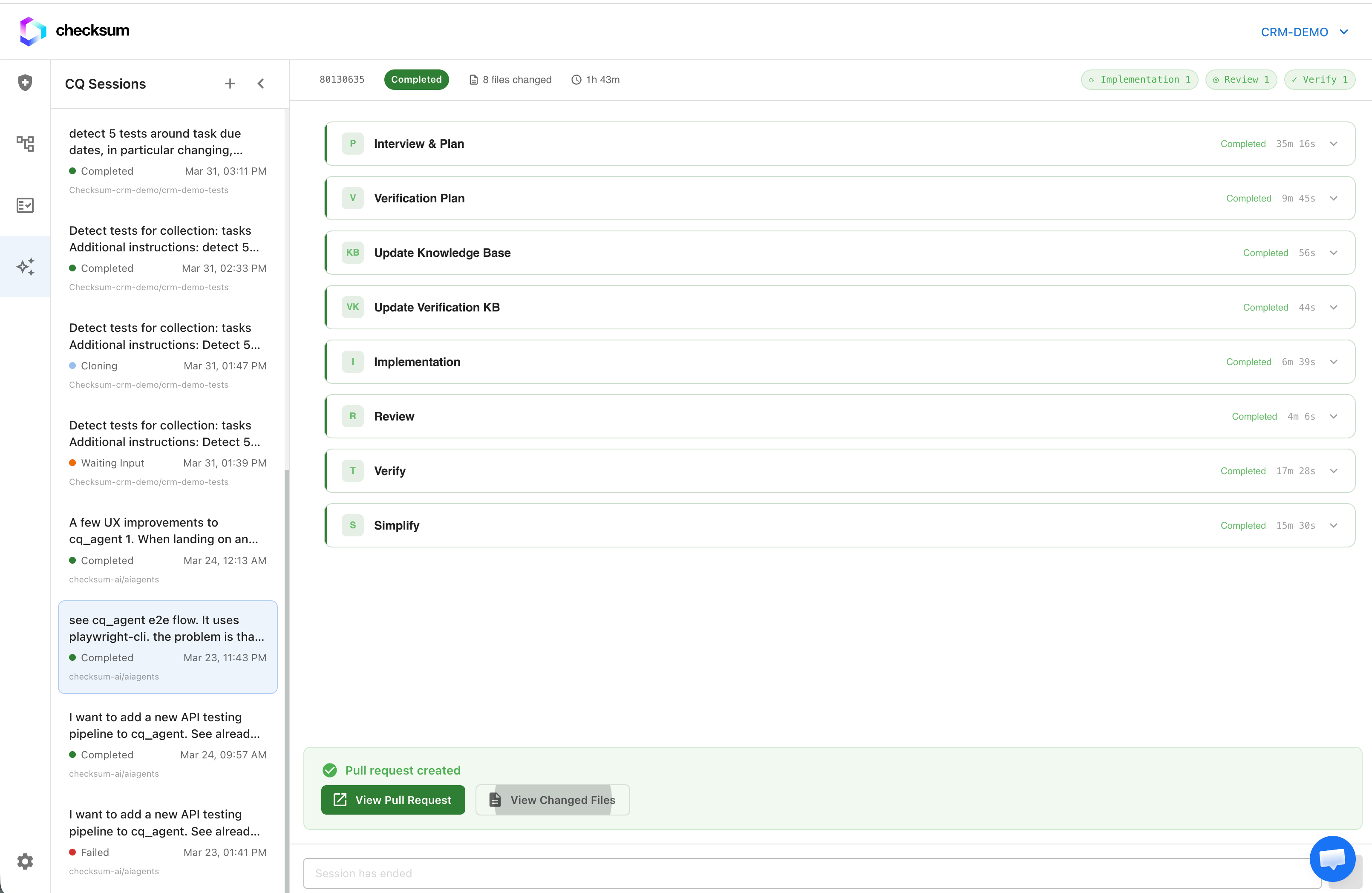
A completed session: pipeline stages, generated files, and the PR link.
Standard vs Deep sessions
How much interaction a session needs depends on its mode:- Standard is fully autonomous. The agent runs from start to finish without any input. You can start many sessions in parallel and come back to finished results.
- Deep needs you for the first step (planning). The agent presents a plan and waits for your approval. After that, the remaining steps run on their own.
What starts a session?
Each of these creates its own independent session:Troubleshooting
The session failed during Cloning
The session failed during Cloning
Check that the Git integration is Active in Settings → Git Integration, and that the branch you referenced exists on the remote.
The session failed: application unreachable
The session failed: application unreachable
Check the environment URL and test users in Environments. If the environment is behind a VPN or firewall, allowlist Checksum’s IPs (Security & Access).
The session has been Waiting for Input for a long time
The session has been Waiting for Input for a long time
Sessions don’t continue until you answer. Open the session and respond. From your coding agent, answer with
checksum_session_answer (or approve a waiting plan with checksum_session_approve).The session completed but there's no PR
The session completed but there's no PR
The session is PR Eligible. Create the PR from the session view. This happens when the trigger had no pull-request context.
Related
Deep vs Standard
Why some sessions ask for approval.
Generate Tests
Every way to start a generation session.
Auto-Healing
Healing sessions and batches.
Coding Agents & MCP
Steer sessions from your editor.