At a glance
Reference for AI: generation at a glance
Reference for AI: generation at a glance
- Auth: every REST call sends
Authorization: Bearer $CHECKSUM_API_KEY. Key location: Settings → Project Settings. - Async:
POST /auto-generatereturns202withbatchId. PollGET /auto-generate/batch/{batchId}every 10–30 s untilallTerminalistrue. - Cloud generation clones from the Git provider, so it only sees pushed commits.
- PR-based generation always diffs against the PR head branch.
- Output per flow: one
*.checksum.mdstory + one*.checksum.spec.tstest on a new branch, delivered as a PR.
How generation works
Every trigger starts an agent session, which runs this pipeline:1 · PlanDeep mode only: interview + plan
→
2 · ImplementStory
.checksum.md + test .checksum.spec.ts→
3 · ReviewSelf-review for quality and correctness
→
4 · VerifyActually runs the tests against your environment
→
5 · DeliverPull request to your tests repo

The test generation pipeline, from trigger to pull request.
Start generation
Pick where you want to start. Every option starts the same agent session and pipeline. They differ in what you give the agent and whether a PR opens automatically.- REST API
- Pull request
- Coding agent (MCP)
- Slack
- Chrome extension
- Collection
Start generation from the REST API
Use the API when a release bot, an internal tool, or a custom CI step should kick off test generation. You tell Checksum which pull request to cover. It replies right away with abatchId, works in the background, and opens a pull request in your tests repository when the tests are ready. Progress also appears as a single comment on the source PR, posted by Checksum, so your CI step doesn’t need to comment. To have a coding agent build this CI step for you, use CI Setup Prompts → Prompt 2.Checksum answers with
202 Accepted:batchId to check on progress. links.session opens the live session in the web app if you want to watch.Check on progress
Ask for the batch every 10–30 seconds untilallTerminal is true. When it finishes, each session’s prUrl points to the new pull request.GET
pending to in_progress, then ends as completed or failed. It has the same shape as a healing batch, without the healing-only fields testRunId and sessions[].checksumTestId.Example: a script that generates tests for a PR and waits for the result
Example: a script that generates tests for a PR and waits for the result
Needs
curl, jq, and the variables CHECKSUM_API_KEY, PR_NUMBER, REPO (owner/repo), and HEAD_BRANCH.Reference for AI: generation REST API
Reference for AI: generation REST API
POST https://api.checksum.ai/public-api/v1/auto-generate
Starts a generation agent session for a pull request. Opens a PR in the tests repository when finished. Progress is posted as one sticky comment on the source PR. Generates from a PR only: saved test flows require the web app, and description-only runs require MCP.Next: poll
GET /public-api/v1/auto-generate/batch/{batchId}.GET https://api.checksum.ai/public-api/v1/auto-generate/batch/{batchId}
Unlike a healing batch, a generation batch has no
testRunId and no sessions[].checksumTestId.Polling rule: every 10–30 seconds until allTerminal is true. On failed, open links.session from the start response.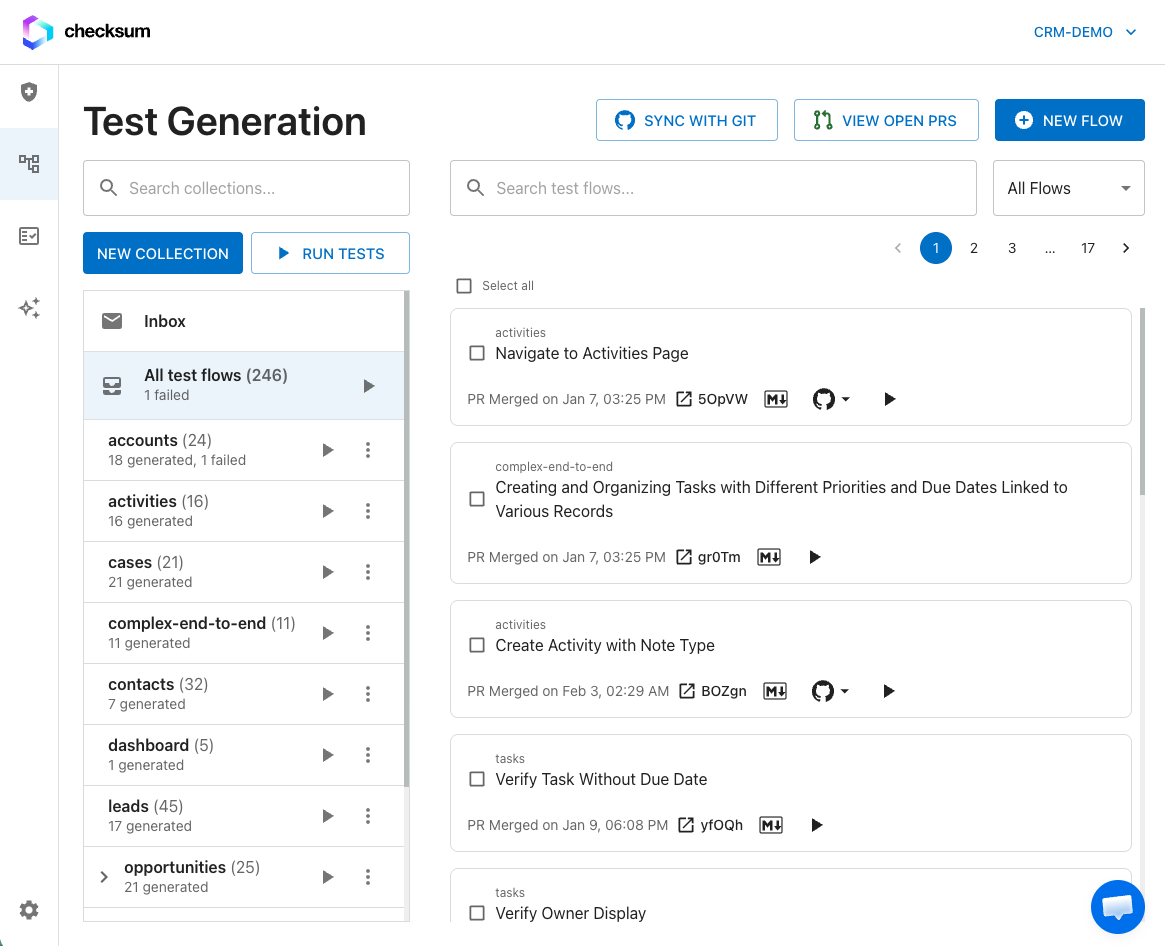
What gets generated
For each flow, the agent writes two files to a new branch in your tests repository:
The branch is named like
ChecksumAI-generated-test-20260315143022, and the PR description explains the flow being covered. See Story & Test Format for both file formats.
Generation statuses
Each test flow in the web app shows where its generation stands:
API and MCP callers see the equivalent state on the batch (
pending → in_progress → completed / failed) and on each session. See Agent Sessions for the session lifecycle.
Review and merge
Generated tests arrive as a normal pull request. Checksum’s agent behaves like another developer on your team. By default, nothing reaches your main branch without your review. If you turn on auto-merge, Checksum’s PRs merge without a human review and the steps below are optional.1
Read the PR
Review the story file first, since it’s the fastest way to confirm the agent understood the flow. Then review the test code.
2
Run it yourself (optional)
Check out the branch and run
npx checksumai test -g "<test title>". See Running Tests.3
Request changes
Edit the files directly, or re-trigger generation with more specific instructions. A flow you edit shows the Edited status.
4
Merge
Once merged, the tests join your suite and are covered by auto-maintenance.
Troubleshooting
The API returned 400 for envOverrides
The API returned 400 for envOverrides
envOverrides only accepts your application’s own variables. Names reserved by Checksum, including CI and anything starting with CHECKSUM_, are rejected.Tests were generated but no PR was opened
Tests were generated but no PR was opened
Checksum opens a PR only when it knows the pull request number, repository, and branch. Slack mentions without PR context, MCP runs from a description or targeted specs (without
autoCreatePR), and Chrome extension recordings leave the tests in the session. Open the session and create the PR from there (PR Eligible state), ask your coding agent to call checksum_session_create_pr, or re-run against a PR.The tests cover old code
The tests cover old code
Cloud sessions clone from your Git provider. Push your commits, then trigger generation again.
/checksum generate got a 👎 reaction
/checksum generate got a 👎 reaction
The commenter needs write access, and the Checksum GitHub App must be installed on that repository. Check Settings → Git Integration for an Active status.
The session failed with "application unreachable"
The session failed with "application unreachable"
The agent couldn’t load your environment URL. Check that the URL in Environments is correct and up. If the environment is behind a VPN or firewall, confirm Checksum’s IP addresses are allowlisted (see Security & Access).
Related
Detect Test Flows
Let the agent propose what to test.
Deep vs Standard
Trade speed for thoroughness.
Agent Sessions
Answer questions, approve plans, and track progress.