What is Checksum?
AI coding tools are everywhere. Teams ship 5–10x more code than a year ago, but quality can’t keep up. AI-generated code doesn’t get reviewed the same way, and engineers are still the bottleneck: review, test, prompt, wait, repeat. Ten times more features means ten times more bugs. AI for coding needs AI for quality. Checksum’s E2E Testing Agent works autonomously. It detects what needs testing, generates production-ready Playwright tests, runs them in your CI, and heals them automatically as your app changes. By the time an engineer looks at the code, it has already been verified.Pure Playwright
Test code is delivered to your repository as pull requests. No vendor lock-in: run the tests anywhere.
Zero-maintenance suites
Runtime recovery and agent healing keep tests green as the UI changes.
Zero to thousands
Build full coverage in days, not months. The agent runs in the cloud 24/7.
~97% test accuracy
Powered by a world model built from real user behavior, with data setup, cleanup, and grounded selectors.
Getting started means talking to usChecksum isn’t a self-serve signup. Every customer starts with a demo and a Proof of Value (POV) run with the Checksum team. You give us access to a test environment and read-only access to your front-end code, and we set up your project, tests repository, environments, and first tests. Book a demo and see what we need from you →
How it works
Checksum runs a continuous loop. As your app evolves, your test suite evolves with it.
1 · OnboardChecksum-led: access, codebase, setup
→
2 · DetectFind the flows that matter
→
3 · GeneratePlaywright tests delivered as PRs
→
4 · RunCLI, CI, or REST API
→
5 · HealRecover at runtime, heal via PR
→
6 · MonitorHealth, bugs, notifications
Three ways to drive Checksum
Everything Checksum does can be started from more than one place. Each capability page starts with a developer guide (CLI, CI, REST API, MCP) and then covers the same task in the web app, so the technical and UI steps are clearly separate. Technical sections end with a collapsed Reference for AI box that holds the exact spec (every field, type, and error) for coding assistants. Every page also has a Copy page for AI button that copies the whole page, including those boxes, as Markdown for Claude, Cursor, Copilot, or any other assistant.
For example, Generate Tests covers the REST API, GitHub PR comments, MCP, and Slack in its developer guide, then the web app. Auto-Healing follows the same pattern for healing. The REST basics (keys, base URL, versions, IDs) are in API Keys & Authentication.
The Checksum web app
The web app at app.checksum.ai is where you manage everything. It has five main sections: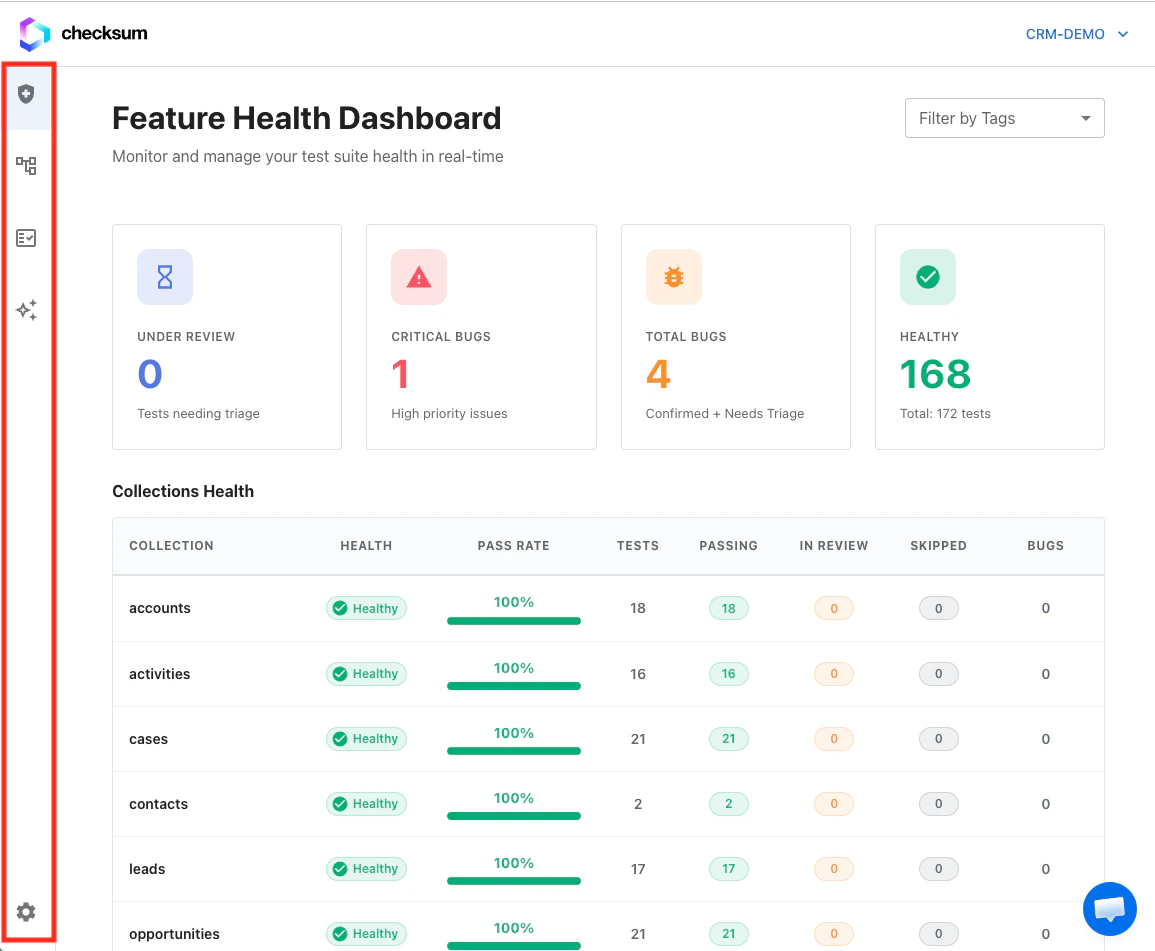
The web app's main navigation.
Explore the docs
Onboarding & POV
What we need from you before kickoff, and what we set up.
Key Concepts & Glossary
Collections, flows, sessions, runs, outcomes, and IDs.
Environments, Git, Repo, Keys
Add to or change what Checksum configured for you.
Detect & Generate
Every way to create tests: API, PR, MCP, Slack, and the web app.
Run, CI, Sharding, Results
CLI, GitHub Action, GitLab, and REST execution with verdict gating.
Recover, Heal, Monitor
Keep the suite green and triage real bugs.
Coding Agents, MCP, Slack
Drive Checksum from your editor or chat.