At a glance
Reference for AI: health dashboard at a glance
Reference for AI: health dashboard at a glance
- Auth:
Authorization: Bearer $CHECKSUM_API_KEY. Results are scoped to the project tied to the key. - Bug entities have stable IDs like
BUG-42, with stable links likehttps://app.checksum.ai/#/health-dashboard/bug/BUG-42. - Bugs come from the healing agent’s triage (a
bugverdict plus an@bugtag in the test source), or from your team marking tests as bugs. - App only: commenting and Resolve.
Developer guide
Read bug entities and record triage verdicts from the REST API
Work with bugs from the REST API
The API lets you read the bugs Checksum has found, for example to sync them into your issue tracker (or connect Jira, Linear, or ClickUp directly with Issue Tracker Sync), build a release-readiness check, or report open critical bugs. It also lets your own tooling file bugs, edit them, and close them. Commenting and Resolve happen in the web app.List bugs
Ask for your project’s bugs, newest first, narrowing the list by status or severity. This example fetches confirmed critical bugs:id is the one to pass to the bug write routes. bugId is the BUG-42 display ID shown in the dashboard and its links.
The status values match the dashboard’s bug status workflow: needs-triage, confirmed, fixed, not-bug, and snoozed.
Create and change bugs
File a bug with a title and description. The response carries the bug’sid. Every other bug write addresses the bug by that id. For a bug you did not create, take its id from the bug list.
heal field says whether that heal started.
Record a triage decision from automation
To record per-test triage decisions from your own tooling, submit per-test verdicts against a run report withPOST /test-runs/{testRunId}/report/verdicts, marking each test as a bug, recovered, healing, or needing triage. To start healing, use POST /auto-heal for the run.
Reference for AI: health dashboard REST API
Reference for AI: health dashboard REST API
GET https://api.checksum.ai/public-api/v1/health-dashboard/bugs
Returns bug entities for the project tied to the API key, newest first, as { "items", "total" }. Header: Authorization: Bearer $CHECKSUM_API_KEY. Read-only.total counts every bug that matches the filters, not just this page. Each item has:Bug writes: https://api.checksum.ai/public-api/v1/bugs
Header: Authorization: Bearer $CHECKSUM_API_KEY. API key only; a web app session is not accepted. Every :bugId is the UUID id returned by create or by GET /health-dashboard/bugs, not the BUG-42 display ID. Writes return { "id", "status" }. The bug must belong to the key’s project, or the call returns 404.testId is the test’s UUID and environmentId the environment’s UUID, not the Checksum test ID used in grep filters. Write status values (open, snoozed, fixed, notBug) differ from the list endpoint’s (needs-triage, confirmed, fixed, not-bug, snoozed).API coverage of dashboard actions
In the Checksum web app
Track suite health, triage bugs, and resolve them with your team
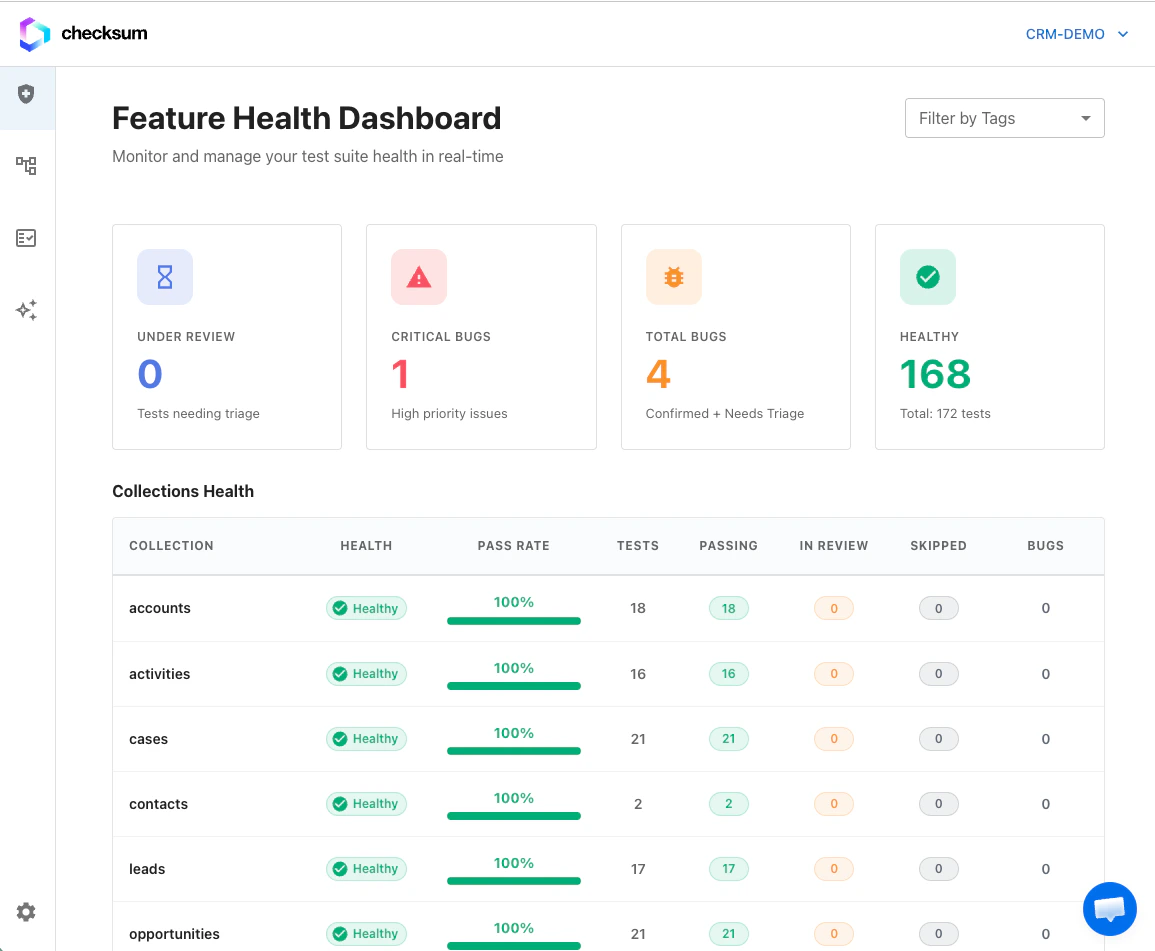
The Feature Health Dashboard with the Bugs and Tests under review sections.
Dashboard sections
The project, collection, and tags filters at the top apply to both sections, so you always see one consistent slice of the suite.
Suite health
Health is calculated from recent run history, not just the latest run:
Each test row also shows its recent run history (up to the last several runs), so intermittent failures are visible even when the overall status reads passing or failing. Through the API, per-test health appears as
healthStatus (e.g. healthy, flaky) in run results.
Test states during healing
Bug entities
A bug entity groups related failing tests under one trackable ID, for exampleBUG-42. Instead of managing each failing test separately, you triage, comment, and resolve at the bug level. Bugs come from the healing agent’s triage (it submits a bug verdict and tags the test @bug) or from your team marking tests as bugs.
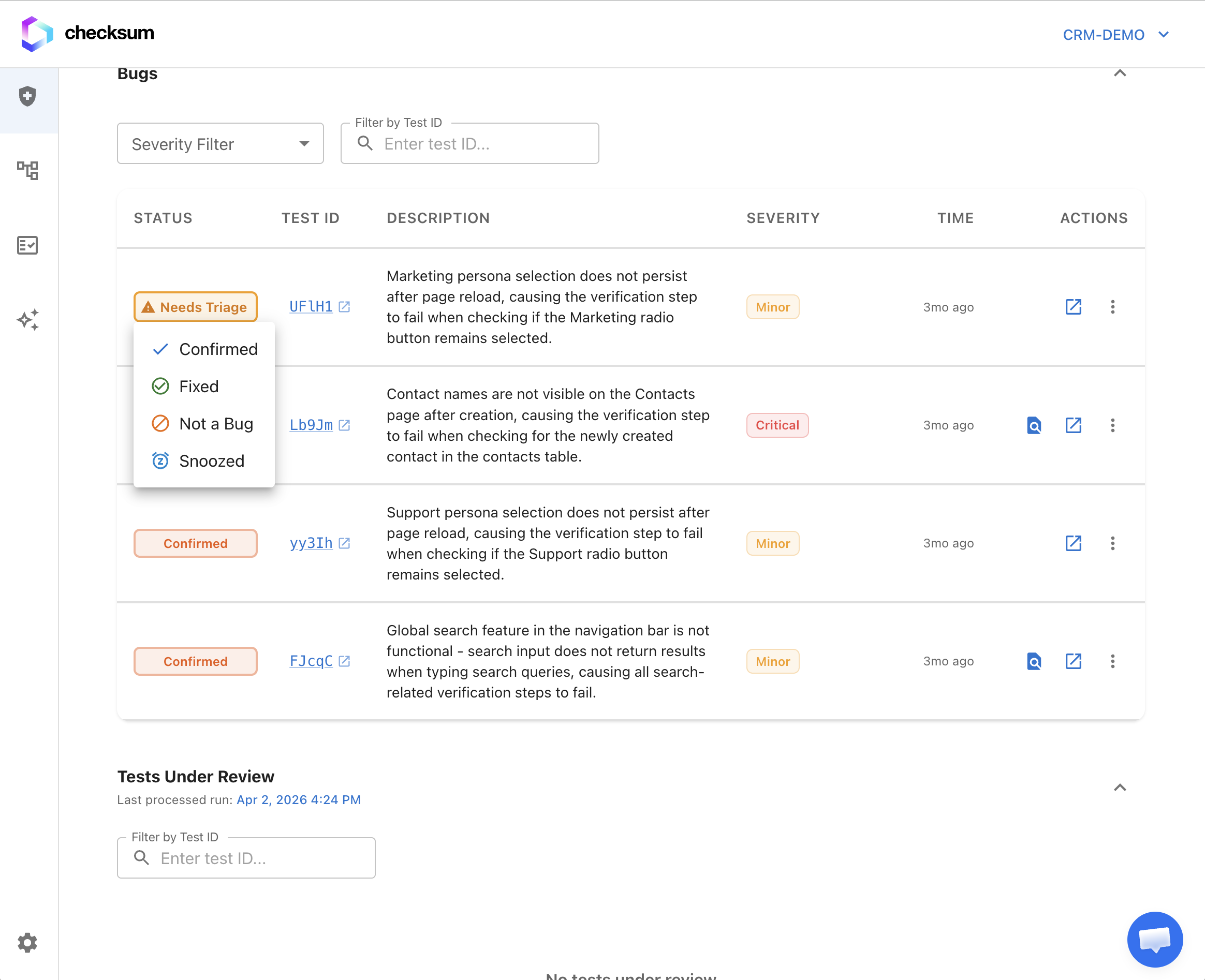
Bug status workflow
Change a bug’s status from the bug row menu or the bug detail page.
Bug detail page
- Affected tests, each with its recent run history
- Failure messages, screenshots, and traces
- Comments and attachments for team collaboration
- Links to related runs and healing sessions
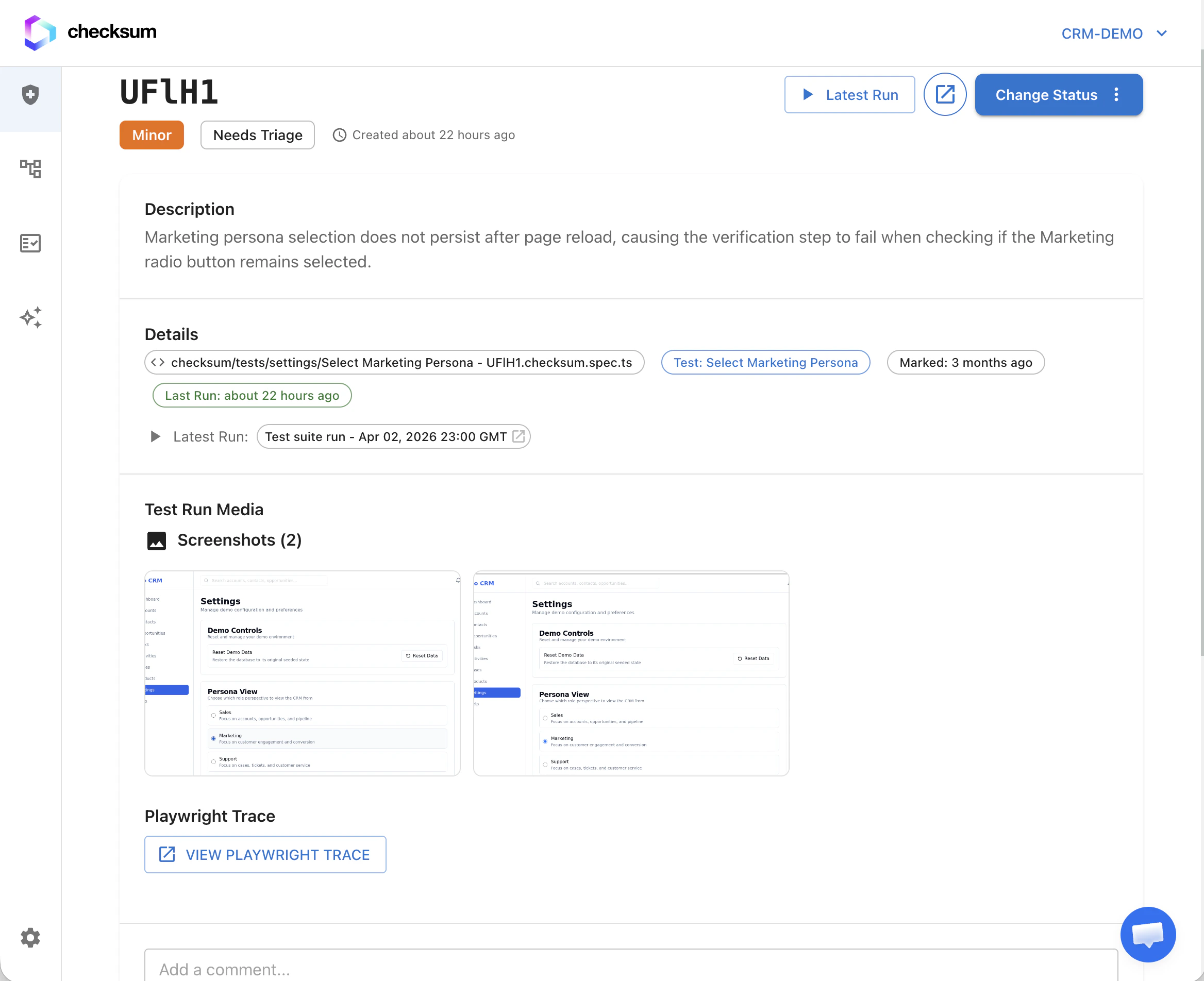
https://app.checksum.ai/#/health-dashboard/bug/BUG-42.
Triage and resolve
Group and link tests
From Tests under review, select one or more rows and choose:- Mark as bug: create a new bug entity, optionally with a severity and description
- Link to existing bug: attach the selected tests to an existing bug entity
- Mark as clean: clear the failure without creating a bug
Resolve a bug
Resolve removes the bug entity and clears the@bug annotations from every affected test file in your tests repository. If annotations need removing from git, it opens a PR. Use it once the underlying product issue is fixed.
Agent actions
From a bug row or an expanded bug, start healing or another agent workflow on the grouped failures. These are the same agent sessions used everywhere else in the product.Per-test actions
On any test row, whether under review or inside a bug:- Open the latest test report or trace
- Start an agent session for just that test (when your project has agent workflows enabled)
Notifications and reports
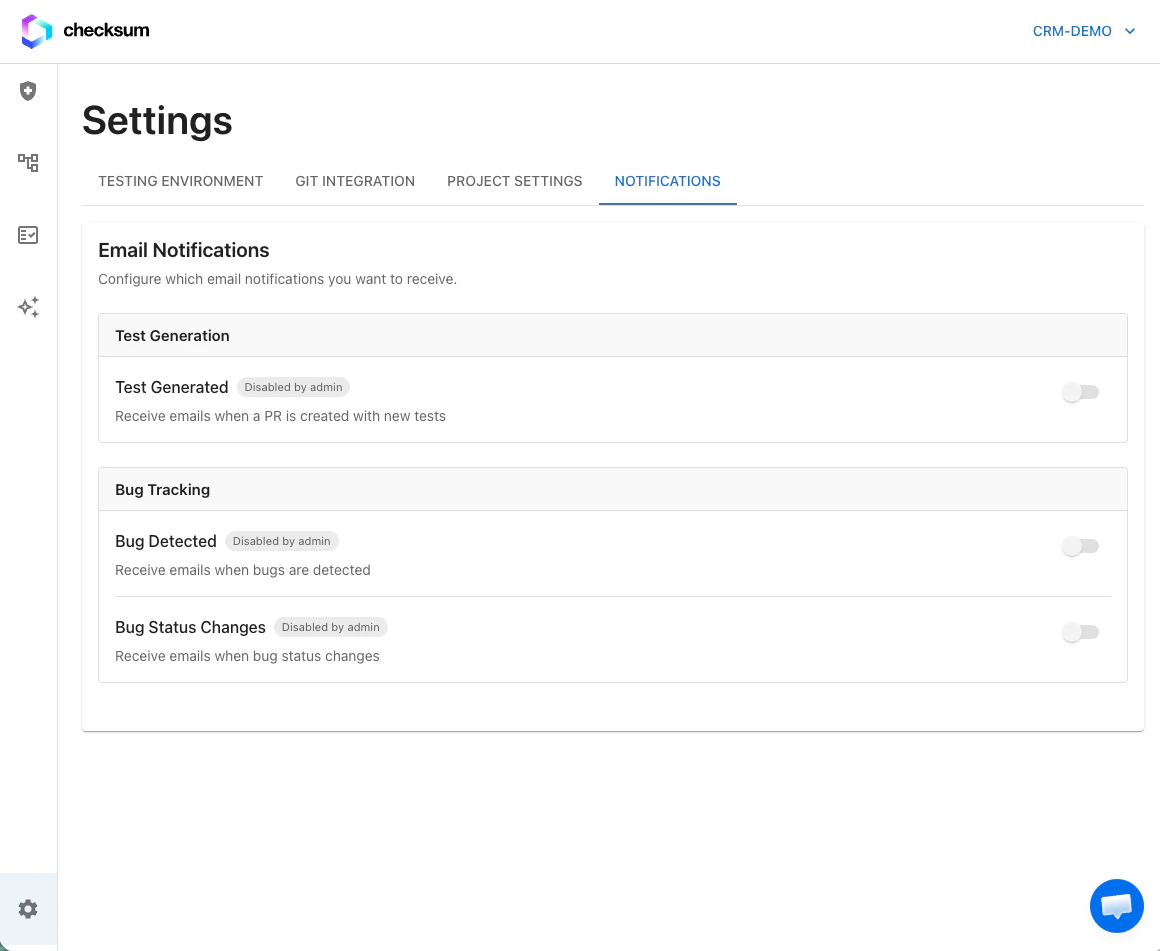
Send health events to Slack, Teams, Discord, Google Chat, or email via Settings → Integrations (Notification Connectors section; workspace admin required). See Notifications & Slack.
Bug notifications include stable links to the bug page. Segment reports by tags for focused views, for example Checkout vs Admin.
Activity history
The dashboard records how health changes over time: when tests started failing, when they were healed, when bugs were triaged, and pass/fail trends. Use it to see which areas of your app cause the most maintenance.Related
Auto-Healing
Where bug verdicts come from.
Results & Reports
Traces, artifacts, and verdicts.
Notifications & Slack
Route health events to chat.