Configured by ChecksumDuring onboarding, the Checksum team creates your first environment from the UAT URL and credentials you share. You don’t need to do anything here to get started. If you’d rather not make a change yourself, ask your Checksum contact.
At a glance
Reference for AI: environments at a glance
Reference for AI: environments at a glance
- Precedence: explicit shell/CI variable >
envOverrides(one cloud run) > downloaded.env. - To change
.envvalues, send them to Checksum. Any automation that starts a Checksum test run or AI generation should download the latest.envfirst. - API key: web app → Settings → Project Settings (API keys).
Developer guide
Pull settings with the CLI, declare environments in config, and override values per run
Work with environment variables
An environment has a URL, a login URL, test-user credentials, and any custom environment variables your tests need, such as API keys or feature flags. These settings live in two places, and neither one updates the other automatically:- Your tests repository. Your tests read from the
.envfile and fromchecksum.config.ts. Changing a setting in the web app doesn’t update either file. - The web app. To use environments, test users, or variables from the web app, you have to add them in the web app too. It doesn’t import them from your tests repository.
.env (see Download your settings with the CLI). You can also override individual values for a single run when you need to.
Download your settings with the CLI
Rundotenv from your tests repository to write every configured variable into a local .env file. Your API key is on Settings → Project Settings (see API keys).
.env in your test repository.
To change what the download contains, send the new or updated variables to your Checksum contact. Checksum makes the change, and then anyone on your team can download the updated file with the same command. Each time that happens:
- Tell your team to run the command again so everyone has the latest
.env. - Make sure any automation script that starts a Checksum test run or AI generation downloads the latest
.envas one of its steps.
Declare environments in checksum.config.ts
Your tests repository also lists the environments tests can run against. Checksum sets this up for you. The one rule to remember when you edit it: each entry’s name must match the environment’s name in the web app.
Override values for a single run
When each pull request deploys to its own preview URL, passenvOverrides with the run. The values apply to that one run or generation session, on top of your project environment.
CI and anything starting with CHECKSUM_, are rejected with 400.
From a workflow, the checksum-ai/test-run-action takes the same values as env-overrides (grep mode only):
Override values locally and in CI
A variable you set explicitly in your shell or CI job always takes precedence over the downloaded.env file. That makes it easy to point a run at a local build:
Reference for AI: environment variables, envOverrides, and precedence
Reference for AI: environment variables, envOverrides, and precedence
CLI: npx checksumai dotenv
Output:
.env in the test repository with environment URL, login URL, credentials, and custom variables. Values are maintained by Checksum and changed on request, not by editing settings in the web app. Re-run after every update, and in any automation that starts a Checksum test run or AI generation.envOverrides (REST API)
GitHub Action
Inputenv-overrides: JSON object string, grep mode only.Precedence
Config rule: each
environments[].name in checksum.config.ts must match the web app environment name. Custom variables added in Settings → Testing Environment are available to web app features and agent sessions but are not added to the .env download. Checksum adds variables to the download on request.In the Checksum web app
Add environments, test users, and custom variables
Managing environments
Each environment has: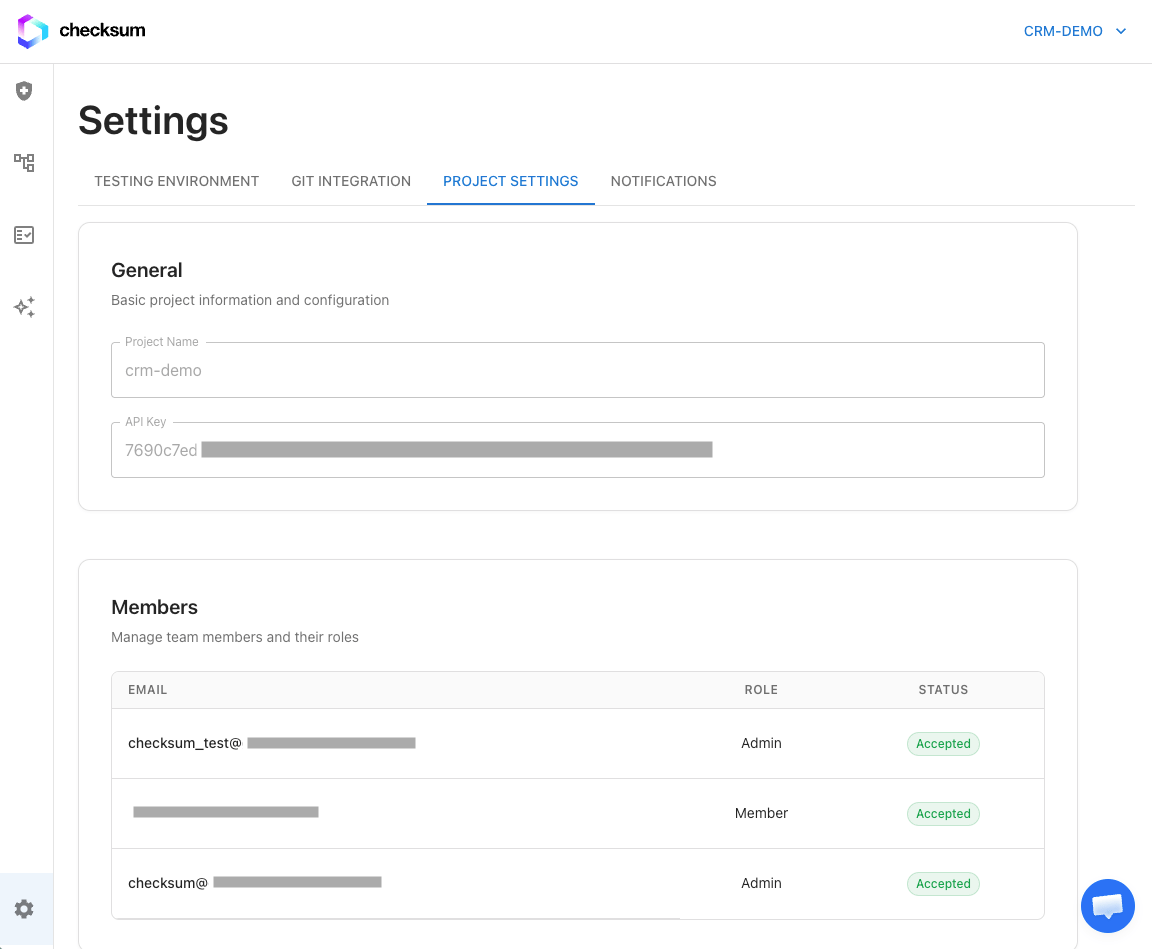
Environment URL and Login URL in the Checksum web app.
Add or edit an environment
1
Open the settings
In app.checksum.ai, go to Settings → Testing Environment.
2
Add or select an environment
Enter or update the name, environment URL, and login URL.
3
Add test users
Add at least one test user (see Test users) so the agent and test runs can log in.

Settings → Testing Environment.
Also update your tests repositoryAn environment or test user you add here is available only in the web app. To run tests against it from your repository, add it to
environments in checksum.config.ts and ask your Checksum contact to add its URLs and credentials to your .env.Test users
Test users are the credentials Checksum uses to log in to your application. Each environment can have several users for different roles or permission levels, for example an admin and a read-only viewer.1
Go to Settings → Testing Environment
2
Select the environment
3
Click Add User
4
Enter the username and password
Save. Story files reference the user they log in as with the
envUser frontmatter field (see Story & Test Format).NoteCredentials are stored securely and are used only during test execution and agent sessions.
Add a custom variable
In Settings → Testing Environment, add the variable name and value to the environment so web app features and agent sessions can use it. This doesn’t add it to your.env. To use the variable in your tests repository, send it to your Checksum contact so they can add it to the download, then have your team run dotenv --download again.
Troubleshooting
Local runs use an old URL
Local runs use an old URL
Your
.env is stale, or a shell variable is overriding it. Re-run dotenv --download and check echo $BASE_URL.The example test fails at login
The example test fails at login
Check that the login URL and the default test user’s credentials are correct and that the account isn’t locked or behind MFA the agent can’t complete. Then re-download variables and run
npx checksumai test -g "example".A new environment is unreachable from Checksum
A new environment is unreachable from Checksum
Allowlist Checksum’s IPs on that environment’s firewall or VPN. See Network access.
Related
Test Repository & Config
checksum.config.ts and the repo mirror.Running Tests
Every way to start a run.
Security & Access
IP allowlist and data handling.