Supported Tools
- Claude Code
- Cursor
- Augment Code
- IntelliJ (via Junie)
- Anti Gravity
- Rovo Dev
- Custom tools (any IDE that supports slash commands)
Installation
Step 1: Set Up Your Test Repository
First, make sure your Checksum test repo is ready:Step 2: Install Prerequisites
Make sure you have ripgrep installed:Step 3: Install the Agent
Run the installation script:Claude Code and Cursor are detected and configured automatically. For other tools, you’ll need to specify the slash commands directory (see below).
Custom Tool Setup
If your tool isn’t listed, choose “custom” and enter the path to your tool’s slash commands directory:Some tools require their CLI to be installed separately (e.g., Junie for IntelliJ, Auggie for Augment Code).
Rovo Dev Additional Setup
For Rovo Dev, you also need to create aprompts.yml file in the .rovodev folder:
To call the agent, use /checksum within your IDE. This works for most IDEs. For ROVO DEV use !checksum.
Step 4: Verify
Open your coding tool and type/checksum (or !checksum for ROVO DEV). You should see three commands:
/checksum_detect_tests/checksum_generate_tests/checksum_heal_tests

For ROVO DEV:
!Checksum_Detection_Agent!Checksum_Generation_Agent!Checksum_Healing_Agent
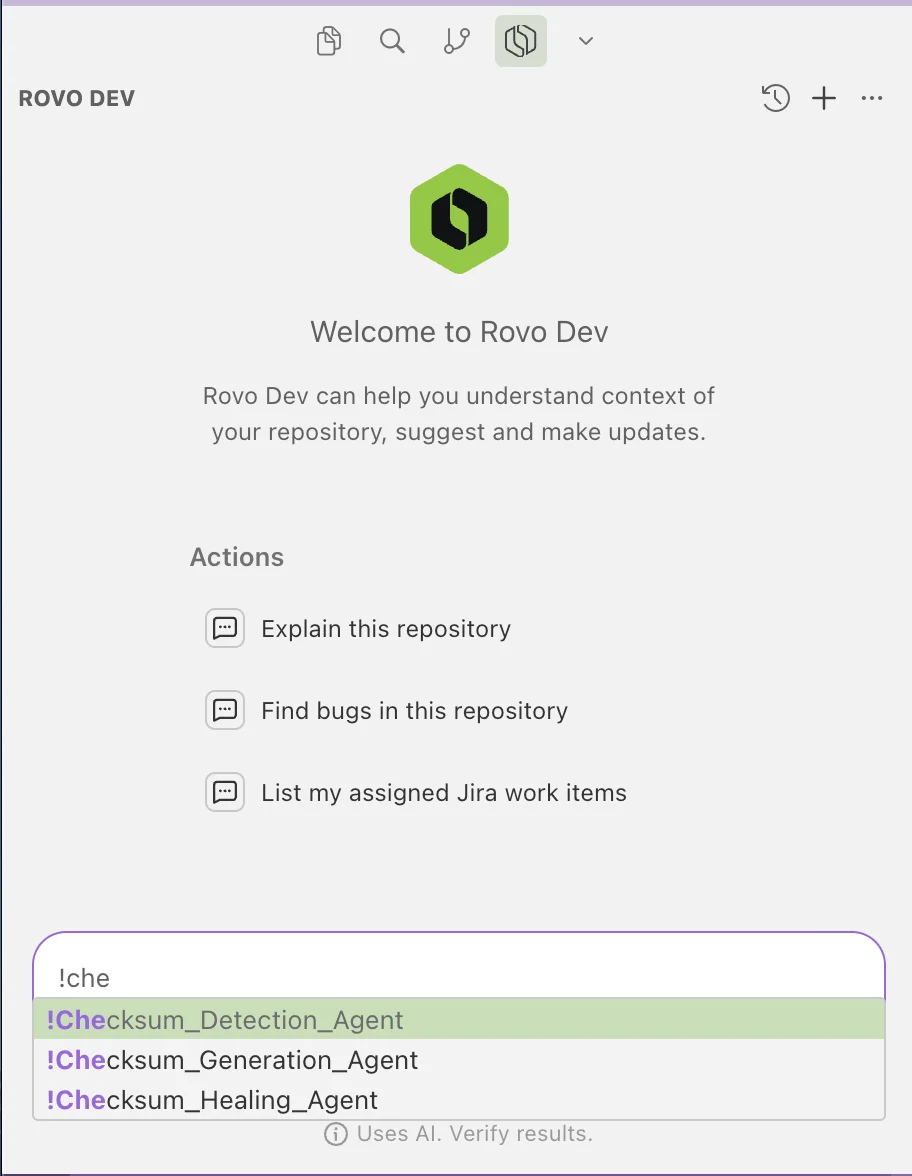
The Three Commands
/checksum_detect_tests — Detect Test Cases
Analyzes your codebase to identify the most important test cases to create.
Include in your prompt:
- Path to your code repository
- Path to your test repository
- Which features to focus on (and which to exclude)
- Number and type of tests (e.g., “2 marquee tests, 8 regular tests”)
- Any specific test data or files needed
Marquee tests are longer end-to-end full-flow tests. Regular tests are smaller, focused tests.
- The agent explores your repositories
- It may ask clarifying questions — answer them
- Once you see tool calls (bash commands), the agent runs autonomously
- Output:
.mdtest definition files that feed into generation

/checksum_generate_tests — Generate Tests
Takes the output of detection and generates Playwright test code.
Include in your prompt:
- Path to your code repository
- Path to your test repository
- Test plans from detection (file paths) or paste test cases directly
- Special login instructions (if not using the default)
- Any new credentials or test data
.checksum.md story files and .checksum.spec.ts Playwright test files.
/checksum_heal_tests — Fix Broken Tests
Updates and fixes existing tests after code changes or when tests start failing.
Include in your prompt:
- Path to your code and test repositories
- Which tests need healing
- Context for why healing is needed
Tips
- Allow exploration — Let the agent explore your repositories and answer its questions for better results
- Monitor initial tool calls — Watch until you see bash commands with tool calls, then the agent can run autonomously
- Reference existing tests — Point the agent to existing tests as examples of your coding patterns
- Provide context — The more context you give (PRD links, ticket descriptions, specific features), the better the output