Session lifecycle
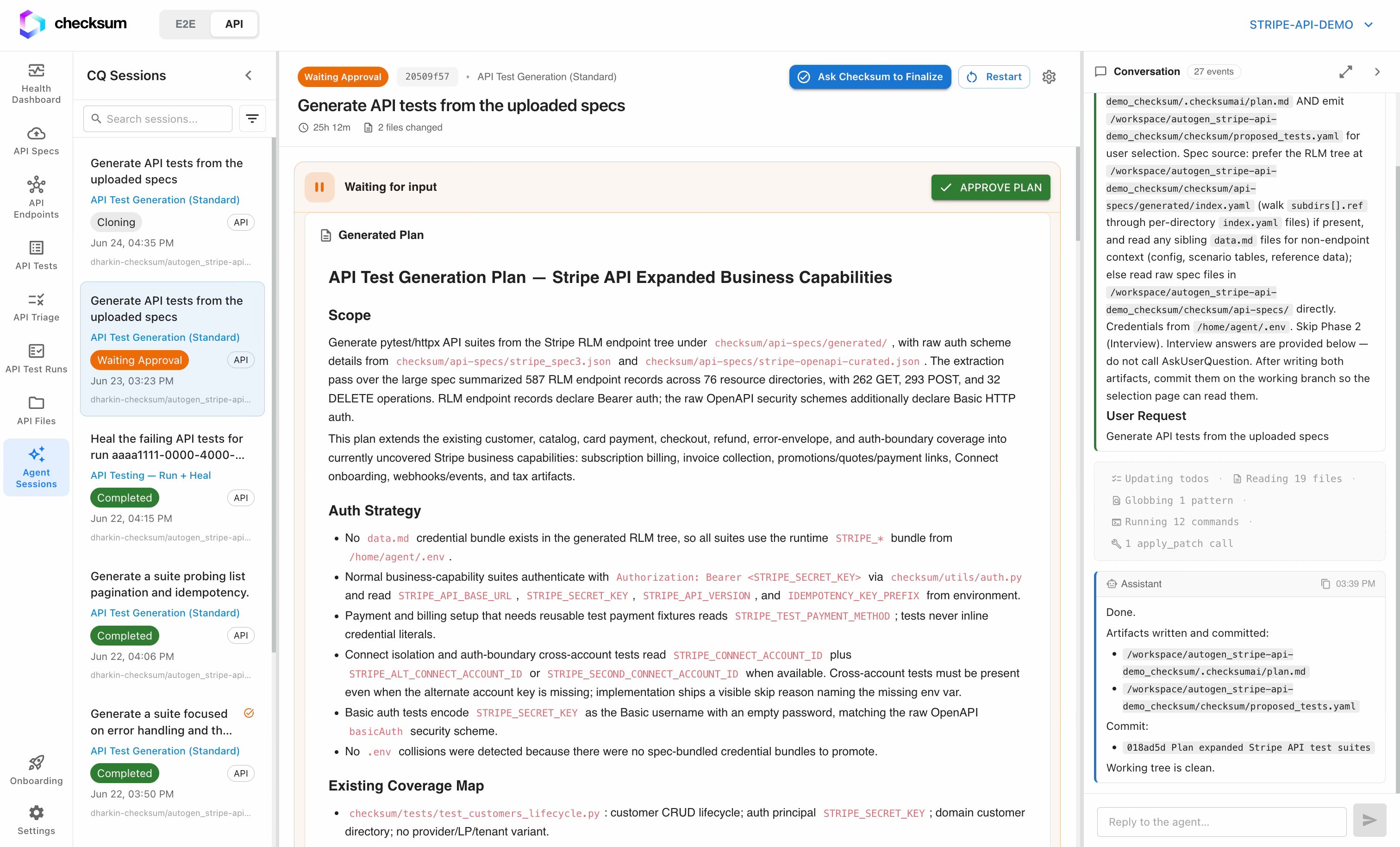
A generation session moves through stages you can follow live on the session page:- Cloning: the agent clones your repository.
- Planning: it plans the test cases to build.
- Implementation, review, and verification: it writes the tests, reviews its own work, and verifies they actually run.
- Waiting for approval: it pauses for you to review the result and finalize.
- Completed: the tests are committed and a pull request is opened. If something goes wrong, the session ends as Failed with error detail.
Standard vs Deep
How much a session involves you depends on the mode you chose:- Standard: runs autonomously from start to finish. Kick off several in parallel and come back to finished results.
- Deep: engages you first with an interview and a plan, then runs the rest on its own once you approve.
When the agent needs you
A session can pause and wait for you in two ways:- Waiting for input: the agent asks a question (which areas to prioritize, an auth quirk, whether to include negative cases). Answer it and the session resumes where it left off. The more context you give, the better the result.
- Waiting for approval: the agent has finished a stage (like a plan) and wants your sign-off before continuing. Approve to proceed, or cancel to adjust.
Running on a schedule
You can have the agent run on a schedule, for example overnight. When it wakes up it scans your API surface for coverage gaps, picks up endpoints and flows that have changed, generates new tests where they’re needed, heals broken ones, and opens pull requests for anything that needs review. By morning your suite is up to date without anyone having touched it.When the agent opens a PR vs. asks for review
- Straightforward changes result in a pull request the agent opens directly: healing a test after a minor schema update, or adding coverage for a new endpoint.
- Significant decisions are flagged for your review first: a breaking change that affects multiple flows, a new flow the agent isn’t confident about, or anything that touches a test you’ve manually edited.
What triggers a session
- Generating tests from the API Specs page.
- Healing a test from the Triage board (when you mark a bug fixed or move an item to Not a bug).
- A scheduled run responding to coverage gaps or spec changes.