Upload a spec
- Open API Specs in the sidebar.
- On the Upload file tab, drop or browse for your spec. Checksum accepts a broad range of API definition and traffic formats. See Supported formats below.
- The file is committed to the repository Checksum creates for your API tests, under
checksum/api-specs/, and appears in the Uploaded specs list.
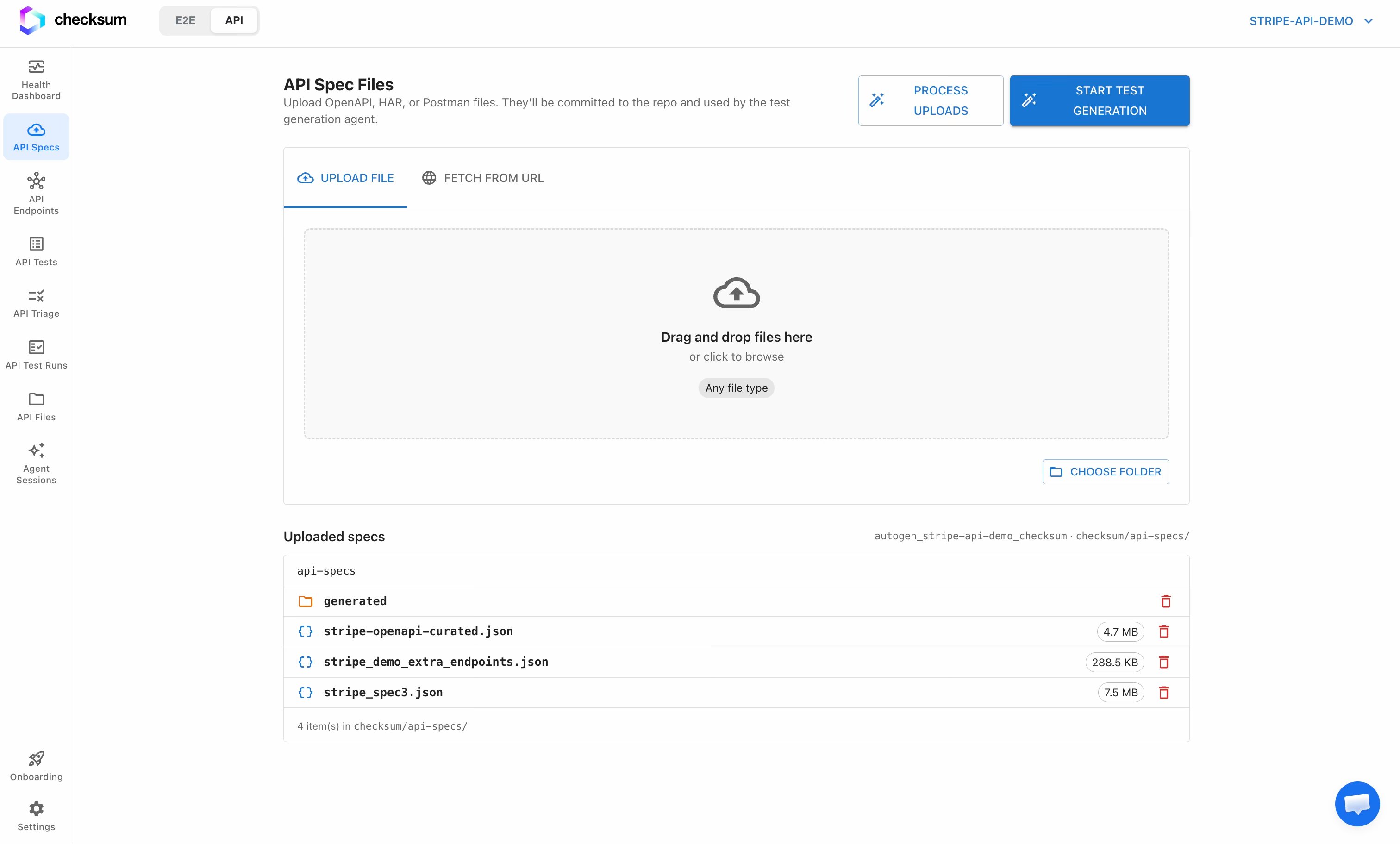
The Uploaded specs list is backed directly by your repo. Because the file is committed, the spec is versioned alongside your code and stays in sync with the repository Checksum maintains for you.
Supported formats
Upload whatever API definitions or traffic you already have. Checksum reads endpoints from all of these:
You can mix multiple files and formats in one project. Checksum merges them into a single endpoint catalog, and notes for each endpoint whether it came from a spec, from observed HAR traffic, or both. Large files (multi-megabyte OpenAPI specs or Postman collections) are streamed during processing, so size isn’t a problem.
API Coverage
Once your specs are processed, Checksum parses them and adds every endpoint to the API Coverage page (titled API Endpoints): “Endpoints discovered from your uploaded API sources and their test coverage.” Open API Coverage in the sidebar to confirm the parse and browse the full directory.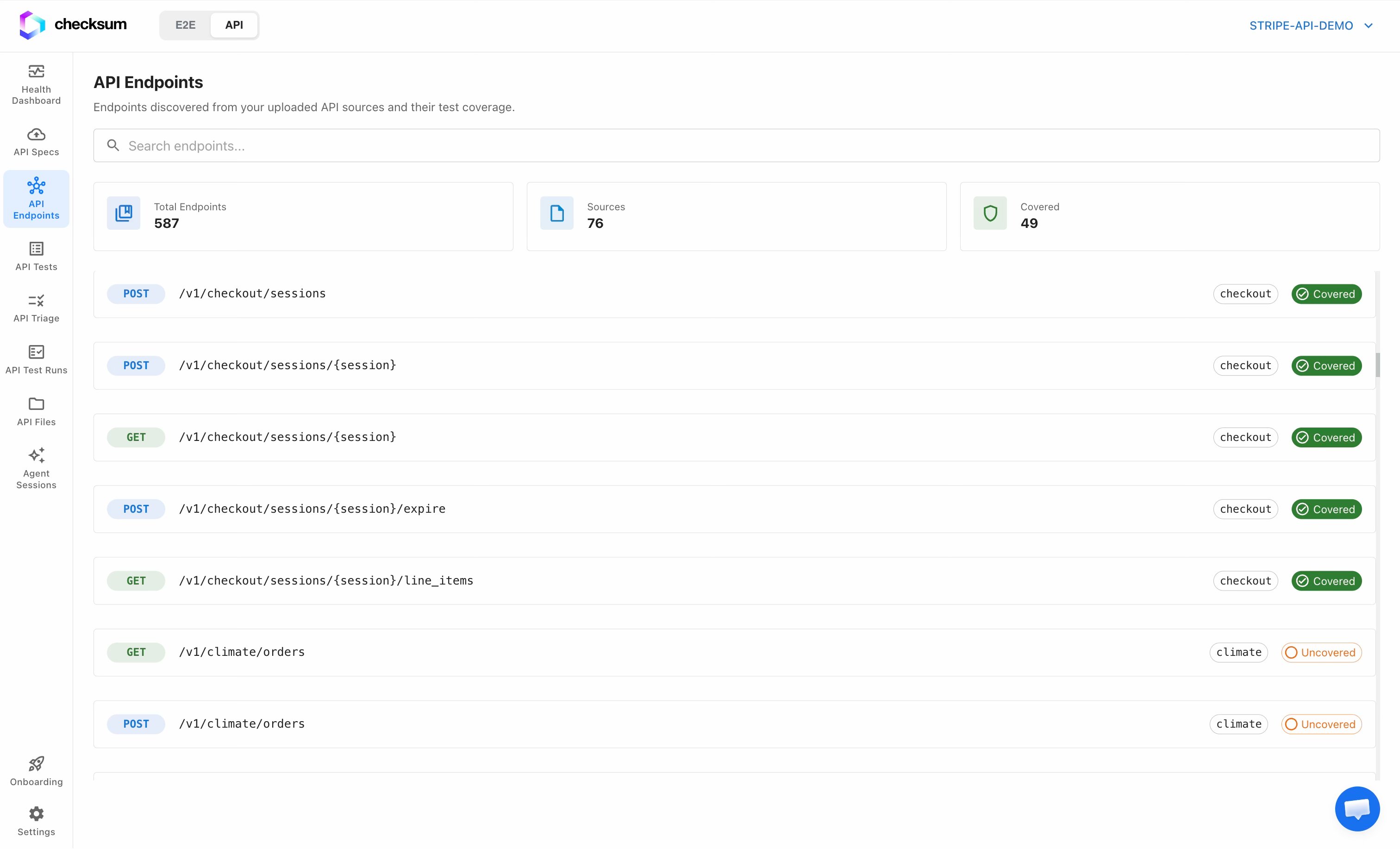
Each endpoint row shows its HTTP method, the path (e.g.
/v1/customers/{id}), the source file it came from, and a coverage chip: Covered (green) or Uncovered (orange). Use the search box to filter by path, method, or source as your endpoint count grows.