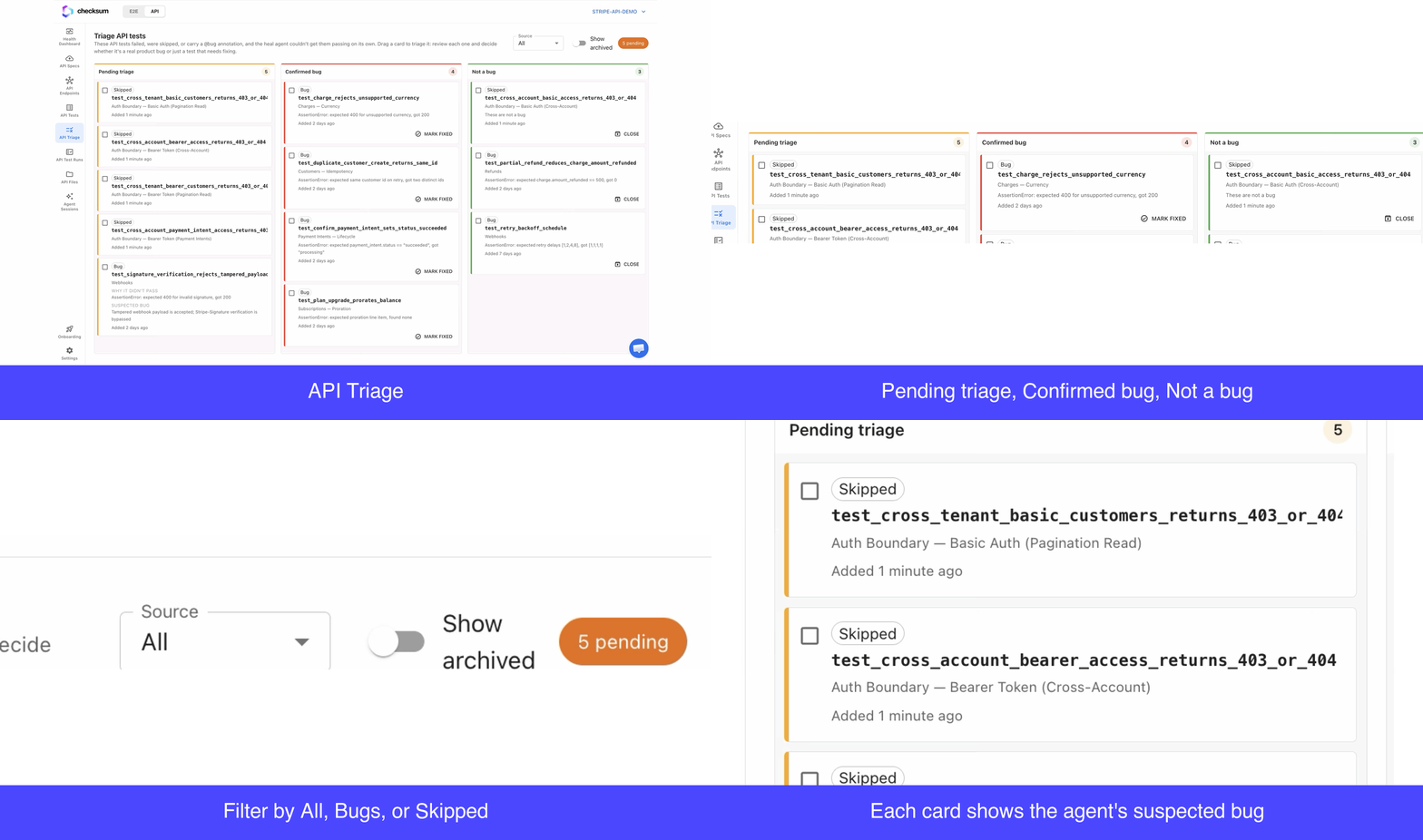
The three columns
For each item, Checksum shows the suspected bug flagged by the agent and why the test didn’t pass, so you can make a call without digging through logs.
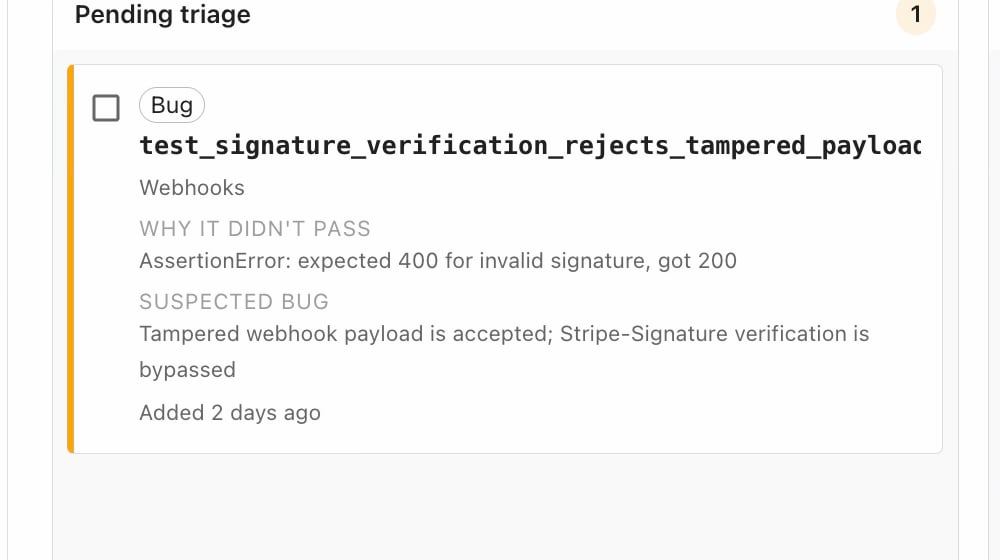
Confirm a bug
- Drag the failing item (or select several similar ones) into Confirmed bug.
- In the dialog, optionally describe what’s broken in the product (e.g. “the server isn’t accepting these keys”).
Dismiss a false positive
If a failure isn’t a real bug, move it to Not a bug. Here a note explaining why it isn’t a bug is required (e.g. “the key value was off”). Checksum then starts a healing session that fixes the test to pass against the current app, after which you can Close (archive) it.What healing can and can’t do on its own
Not every failure is a product bug. Triage separates the two and routes each to the right fix:
Where a healing session can’t get a test passing on its own (major flow changes, a redesigned contract, new auth requirements, or changed business logic), it surfaces the test here (and in Potential tests) so you can decide whether it’s a real bug or a test that needs updating.
API healing runs as a full agent session: it reads the failure, edits the test, and verifies it. This is different from browser (E2E) testing, where lightweight selector auto-recovery can fix many failures at runtime without an agent.
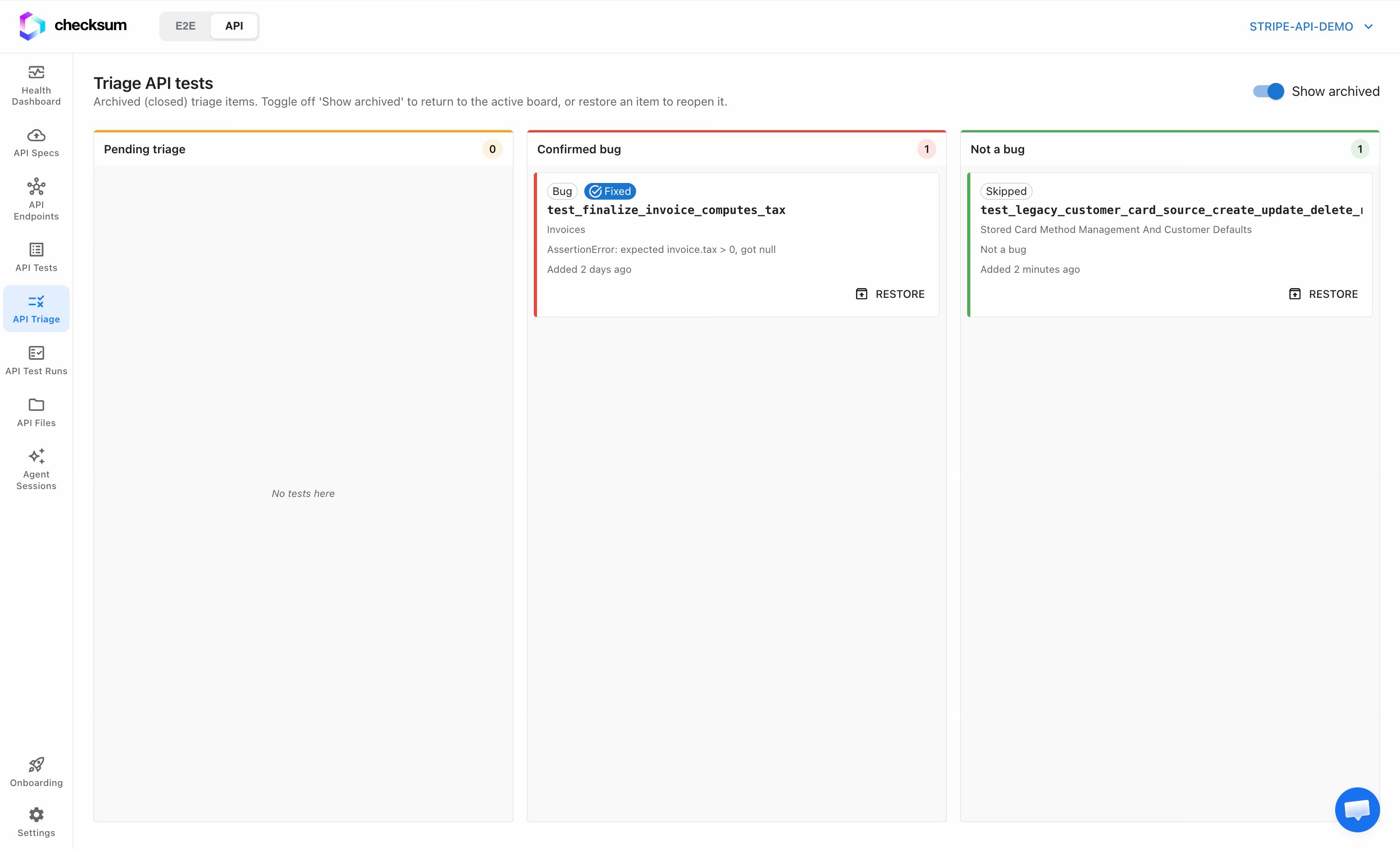
Archived items
Resolved items move to the archived view, where you can see what was fixed, skipped, or closed, a running record that helps the team keep track of tickets. Restore any item from here if you need to reopen it.