When a test suite covers a flow that no longer exists, archive it. Archived suites are excluded from your runs, including scheduled daily runs, so your results stay focused on what’s current. Nothing is deleted; you can restore a suite whenever you need it.

Archive a suite

On the API Tests page, archive a test suite from its actions. Once archived, it drops out of the active list and won’t be included the next time you run your suite.

View archived suites

Turn on the Show archived toggle at the top of the API Tests page to see everything you’ve archived.
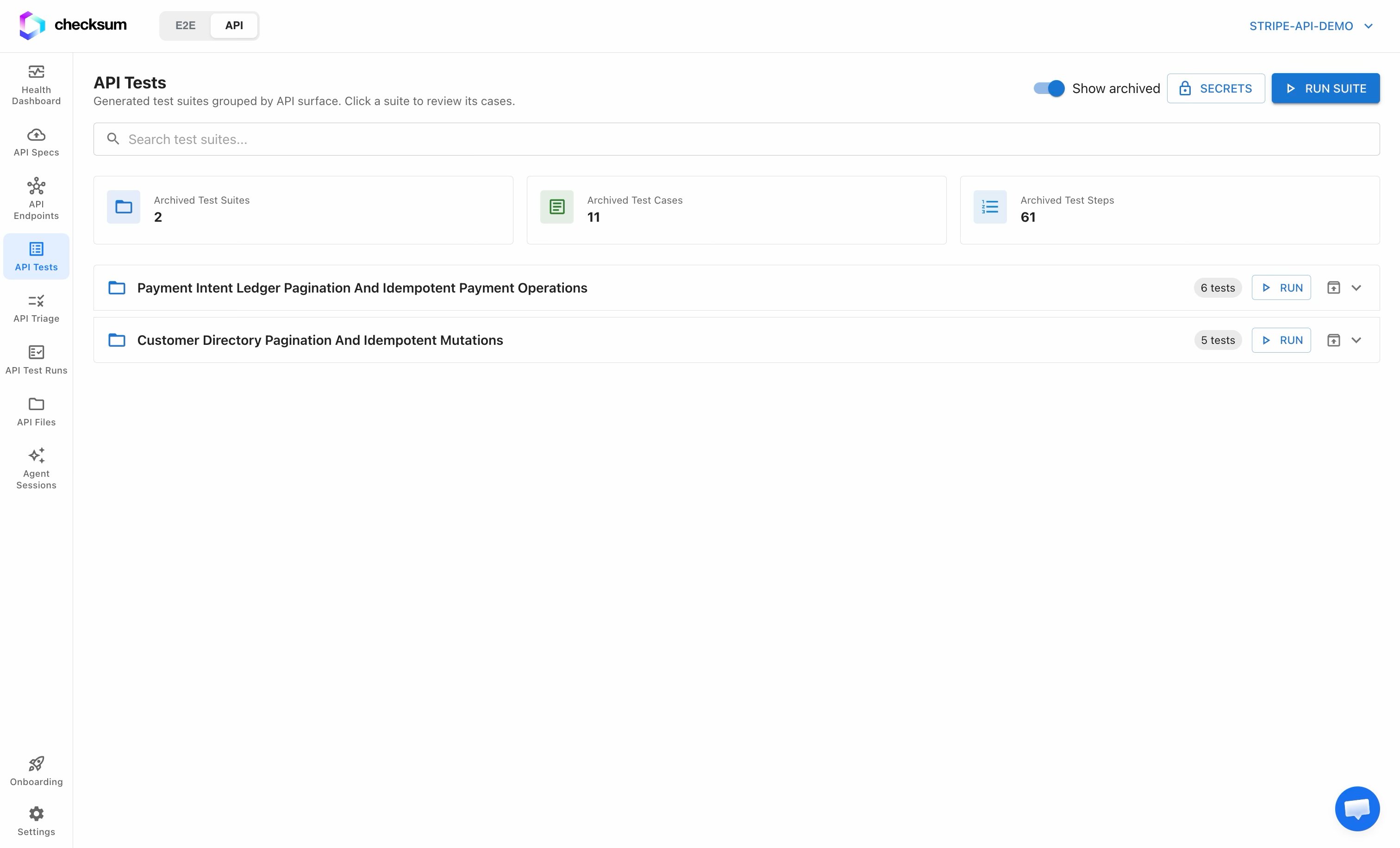
Archived test suites shown via the Show archived toggle
The summary tiles switch to Archived Test Suites / Cases / Steps so you can see exactly what’s set aside.

Unarchive a suite

With Show archived on, unarchive a suite to return it to its original place in the active list. It’s immediately back in scope for future runs.

Next Steps