Standard Mode
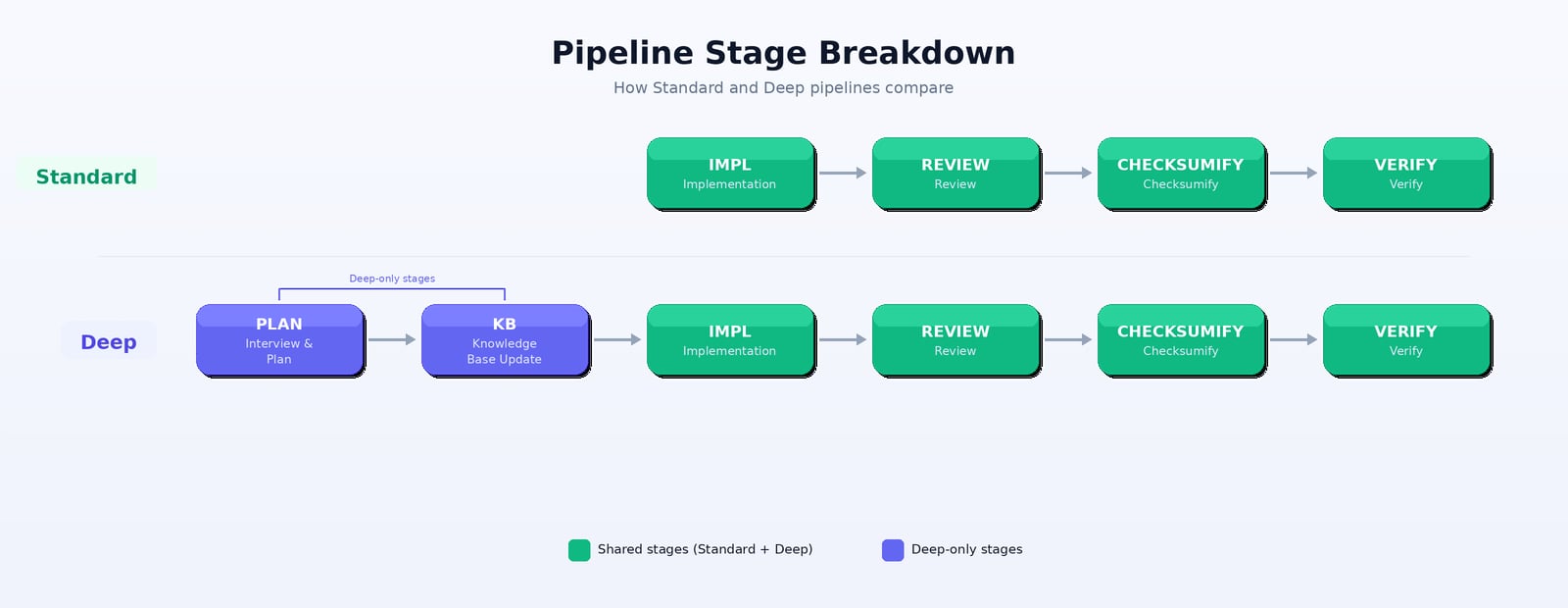
Standard mode is faster and more direct. The agent goes straight to implementation without an extended planning phase. Pipeline stages:- Well-defined test flows with clear steps
- Straightforward applications
- When you want faster turnaround
- Iterating quickly on test coverage
Deep Mode
Deep mode includes planning, knowledge base analysis, and more thorough review. The agent first interviews you, builds understanding of your app, then implements with that deeper context. Pipeline stages:- Complex applications with nuanced workflows
- First-time test generation on a new app
- Flows that require deep understanding of business logic
- When quality and coverage matter more than speed
Pipeline Stage Breakdown
Healing uses a different pipeline. Standard healing runs Triage → Fix (see Auto-Healing). The stages above apply to detection and generation.
All Pipeline Variants
The Deep vs Standard choice applies across all Checksum operations:Default: Standard mode is the default. Choose Deep when you want more thorough results.