*.ghe.com subdomain (for example acme.ghe.com) instead of github.com — you can connect Checksum directly from Settings → Git Integration. The setup is self-serve, takes about two minutes, and installs a Checksum GitHub App on your own instance — you grant access through the app, with no tokens or secrets to share.
This page is for GitHub Enterprise Cloud with data residency (
*.ghe.com). If your team is on standard github.com, follow Git Integration instead. GitHub Enterprise Server (self-hosted, e.g. github.your-company.com) is not supported yet.Before you start
You’ll need:Connect your instance
Checksum connects to your repositories through a GitHub App that lives on your own enterprise instance. You create and install it once — there are no tokens to copy or secrets to paste.1
Open Git Integration
In the Checksum web app, go to Settings → Git Integration and find the repository you want to connect — Tests Repository (where Checksum opens pull requests) or Code Repository (read by agents for better test detection). Each section has its own connection, so repeat this flow for both if you need them.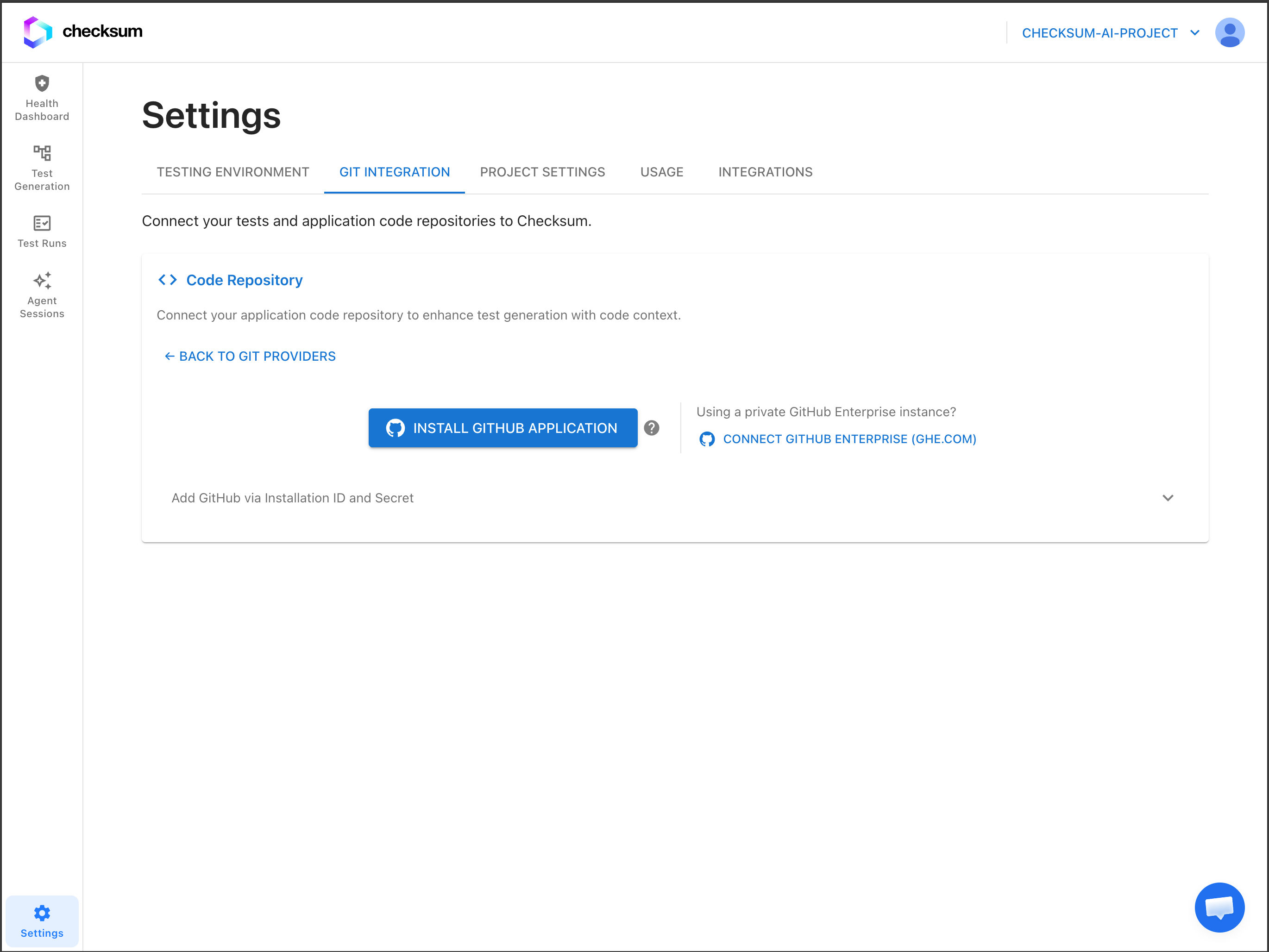
2
Click “Connect GitHub Enterprise (ghe.com)”
Under Using a private GitHub Enterprise instance?, click Connect GitHub Enterprise (ghe.com). A Connect GitHub Enterprise dialog opens.
3
Enter your host and organization
Fill in the two fields and click Continue: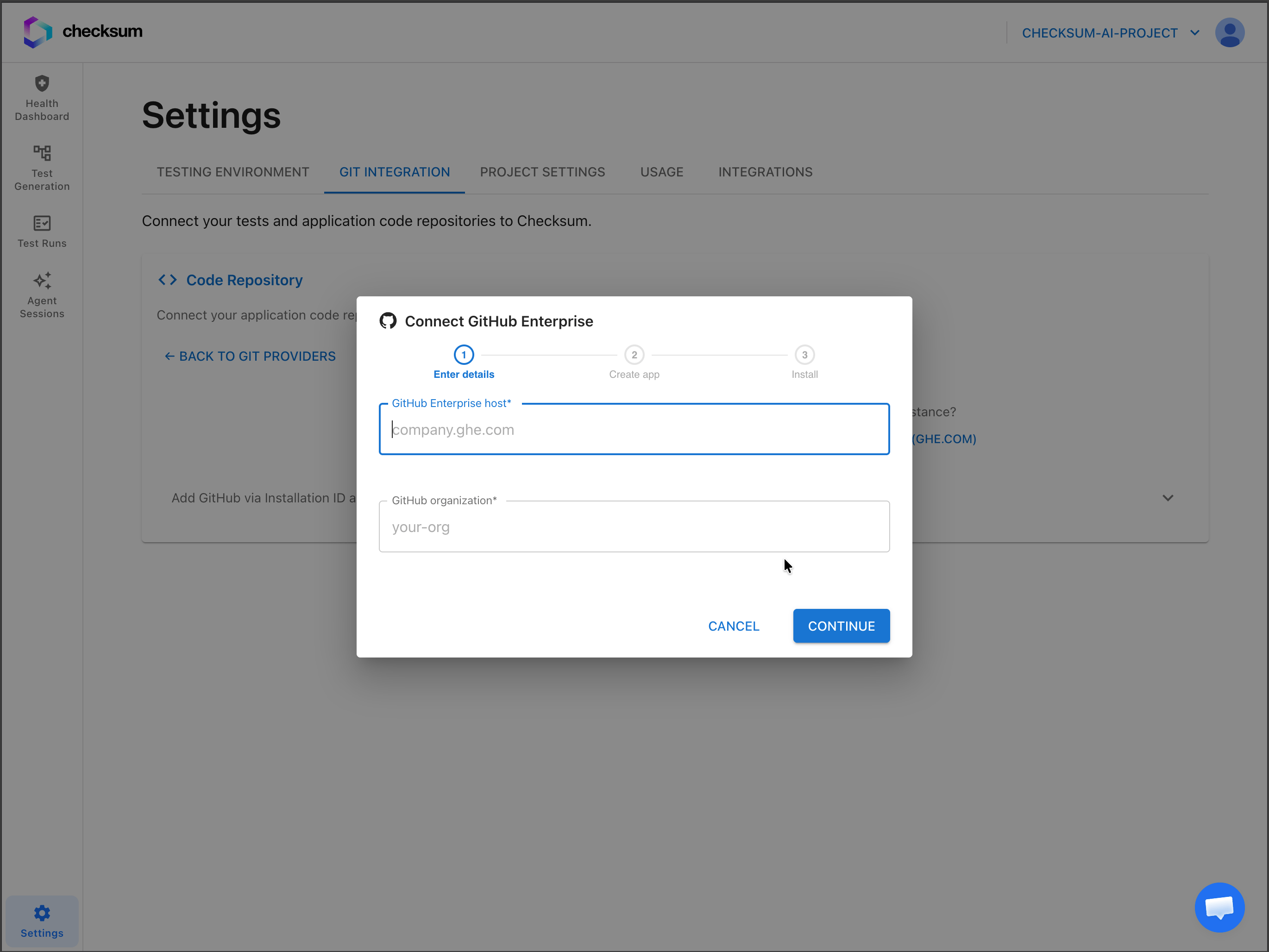
4
Create the app on your instance
Click Open GitHub. A page opens on your enterprise instance to register the Checksum AI Code (or Checksum AI Tests) app — Checksum has already set the permissions and webhook, so there’s nothing to configure. Confirm the app name and click Create GitHub App. GitHub then shows the new app with an Install button.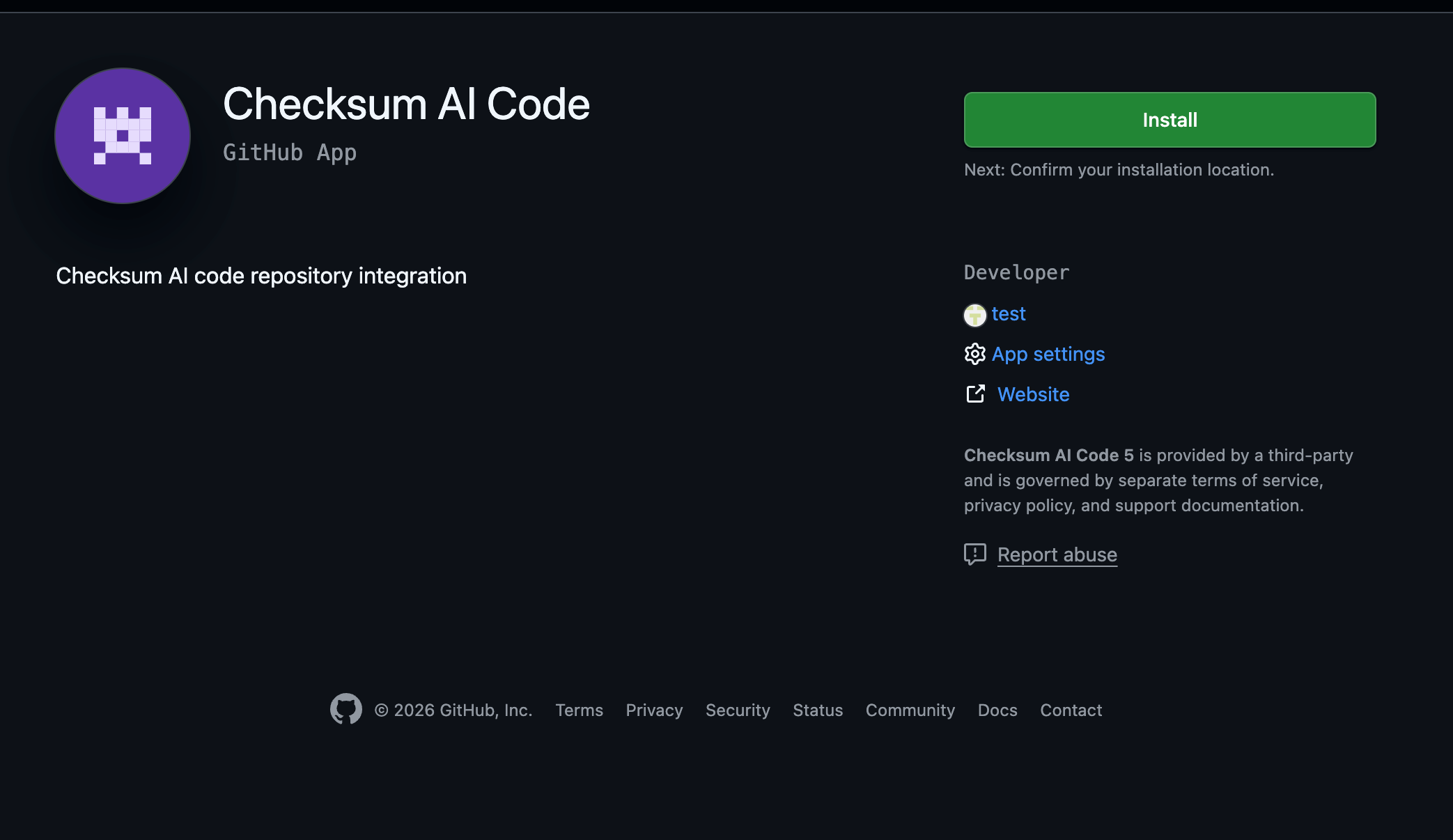
This step only registers the app. It does not grant access to any repositories yet — you choose those in the next step.
5
Install the app and choose repositories
Click Install on the app page. GitHub shows the install page, where you choose which repositories Checksum can access: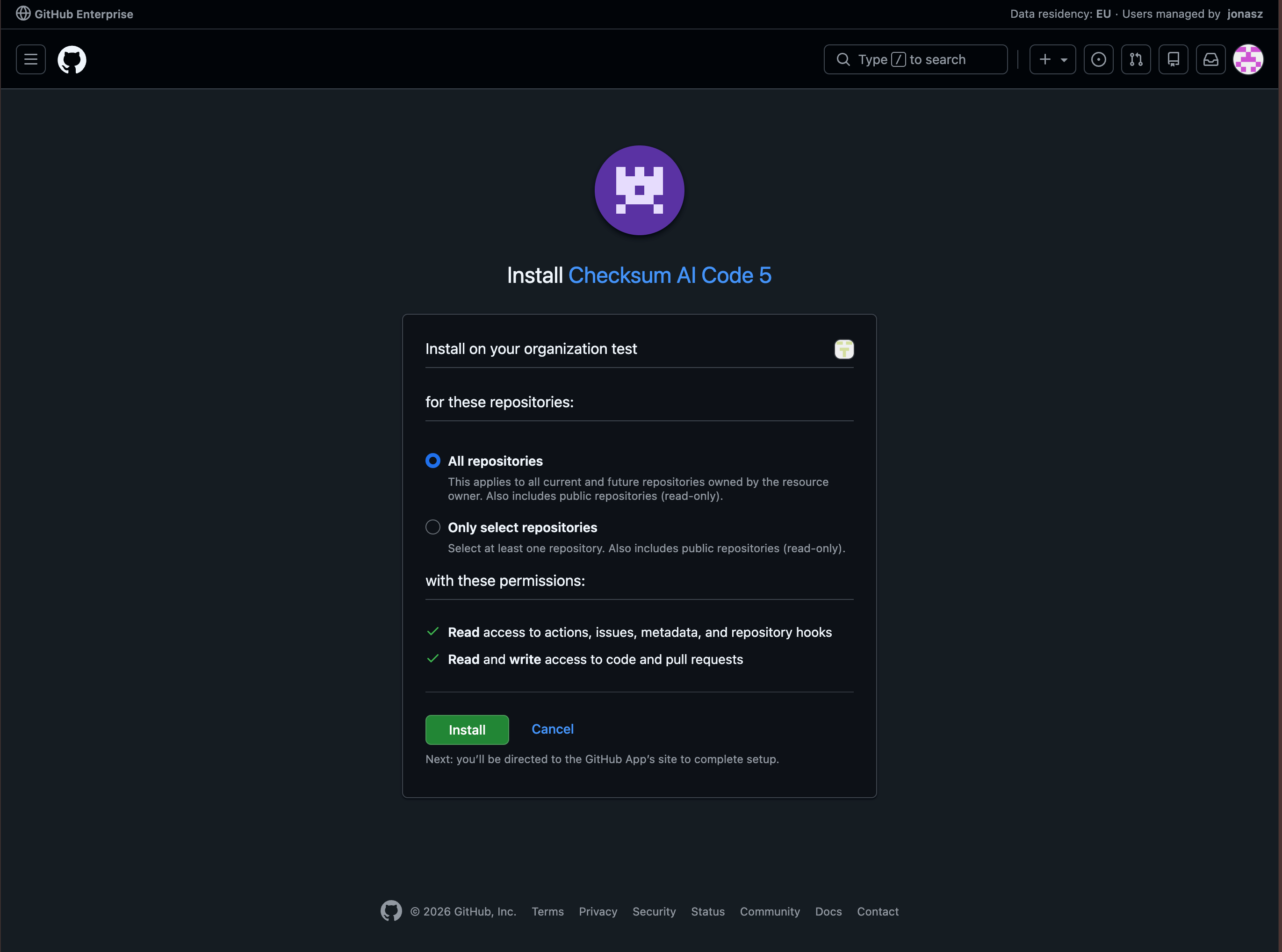
- All repositories — every repository in the organization.
- Only select repositories — pick specific repositories (you can add more later).
If the GitHub tab closed before you finished, reopen the dialog and use Reopen GitHub tab to return to the same page.
After you’re connected
Once the integration shows as connected, select which repository Checksum should use under Tests Repository and, optionally, Code Repository — exactly as you would for agithub.com connection. See Connecting Your Repositories.
From there, Checksum can generate and heal tests and open pull requests against your enterprise repositories.
Troubleshooting
GitHub won't let you create or install the app
GitHub won't let you create or install the app
If GitHub says you don’t have permission, you’re either not an organization owner, or you’re signed in to the wrong GitHub account. Confirm you’re signed in as a member of your
*.ghe.com enterprise with the organization owner role, then reopen the GitHub tab. On shared machines, opening the link in a fresh browser profile or incognito window signed in to the right account usually resolves it.The host field won't accept my value
The host field won't accept my value
The host must end in
.ghe.com, such as acme.ghe.com — that’s the only requirement. You can paste a full URL if you prefer; the field automatically strips https://, any path, and the port. If it’s still rejected, the value doesn’t end in .ghe.com — a GitHub Enterprise Server hostname like github.your-company.com won’t work.I finished on GitHub but Checksum still shows “not connected”
I finished on GitHub but Checksum still shows “not connected”
Make sure you clicked Install (not just Create GitHub App) and selected at least one repository. Then refresh Settings → Git Integration. If it still doesn’t appear, reopen the dialog and run the flow again — it’s safe to repeat.
We use GitHub Enterprise Server (self-hosted)
We use GitHub Enterprise Server (self-hosted)
Self-hosted GitHub Enterprise Server (for example
github.your-company.com) isn’t supported yet — only GitHub Enterprise Cloud with data residency (*.ghe.com). Contact Checksum support to discuss options.